
1. 在左側邊欄點擊「Quotations」,即可進入 Quotations(報價單管理)列表頁面。 2. 頁面預設顯示「Sent Doc.」標籤(已發送的報價文件);若要查看收到的報價,點擊旁邊的「Received Doc.」標籤切換。 3. 列表上方提供以下主要操作按鈕: - 「Add」:新增一筆報價單 - 「details」:查看所選報價單的詳細內容 - 「Confirm」:確認所選報價單 - 「Delete」:刪除所選報價單 - 「Download Excel.」:將目前列表資料匯出為 Excel 檔案 4. 頂部篩選列可用「Stat All」查看所有狀態統計,或點擊「Sorted By Created Date」依建立日期排序。
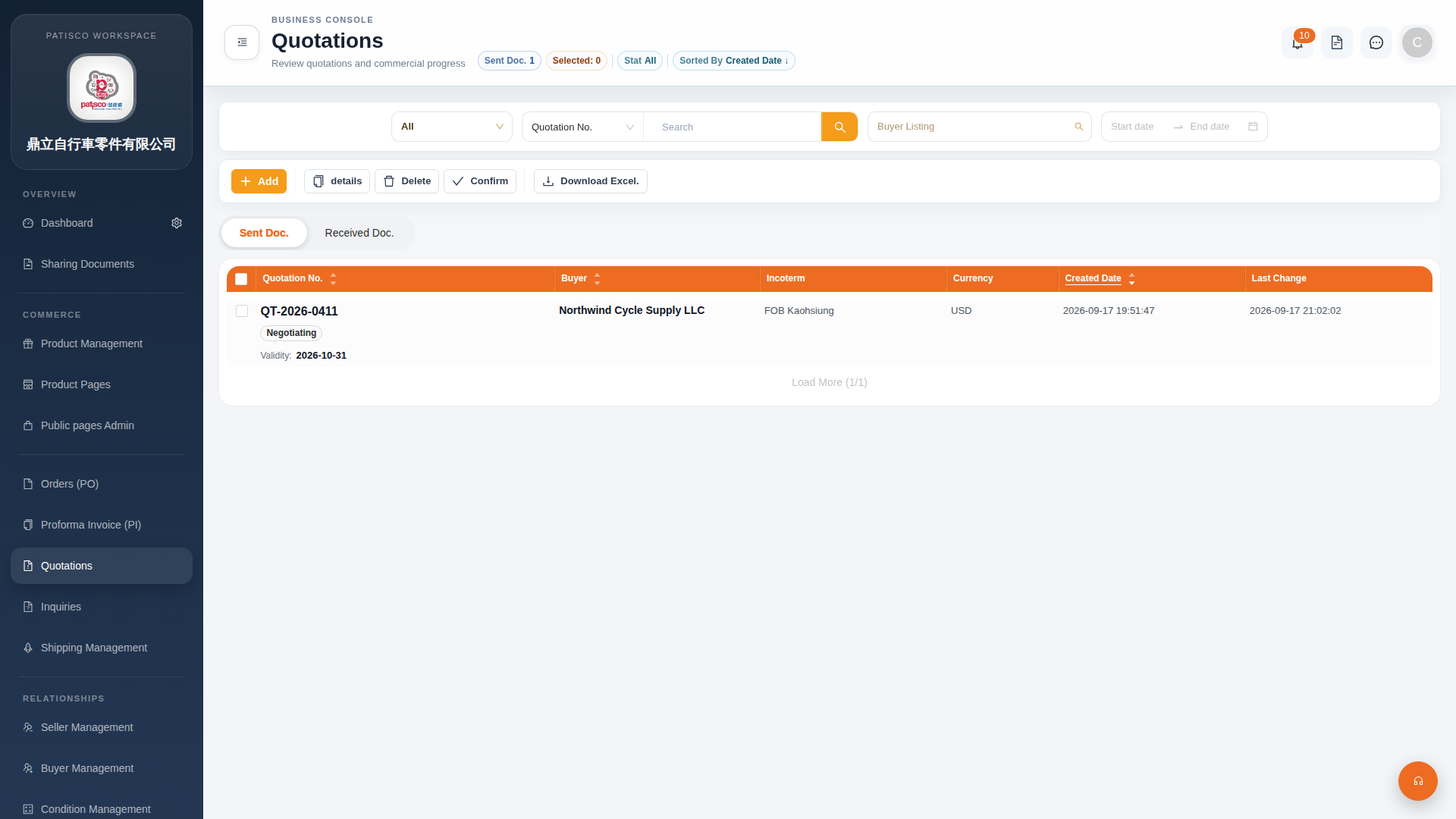 G4 桌面版|Quotations(報價單管理)