
【新增報價單】 1. 進入「報價單管理(Quotations)」頁面後,點擊右上角「+ Add quotation」按鈕。 2. 填寫相關欄位資訊後儲存即可建立新報價單。
【匯出 Excel】 1. 在報價單列表頁面,點擊右上角「Download Excel」按鈕。 2. 系統會將目前列表的報價單資料匯出為 Excel 檔案並下載。
💡 小提醒:若只想匯出特定篩選結果,建議先用「Sent/Received」標籤或「Filters」篩選好資料,再點「Download Excel」。
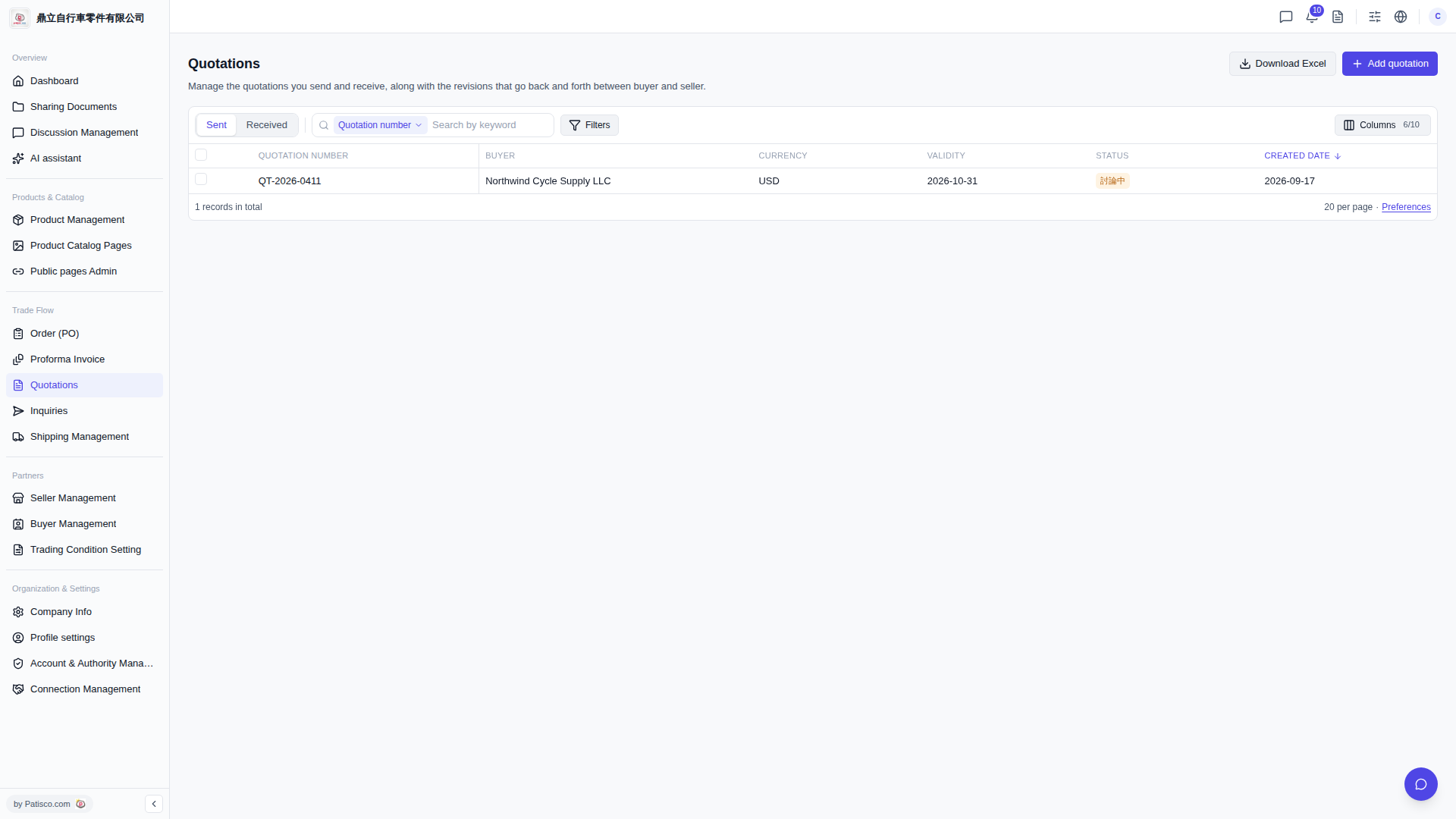 V5 新桌面版|報價單管理(Quotations)