
1. 在左側邊欄點擊「Quotations」,即可進入報價單管理頁面(Quotations)。 2. 頁面預設會停在「Sent Doc.」標籤,顯示您已發送的報價單列表。 3. 若想查看收到的報價單,請點擊「Received Doc.」標籤切換。 4. 列表欄位包含:Quotation No.、Buyer、Incoterm、Currency、Created Date、Last Change、Validity。 5. 頂部篩選列可點擊「Stat All」查看所有狀態,或點擊「Sorted By Created Date」依建立日期排序。
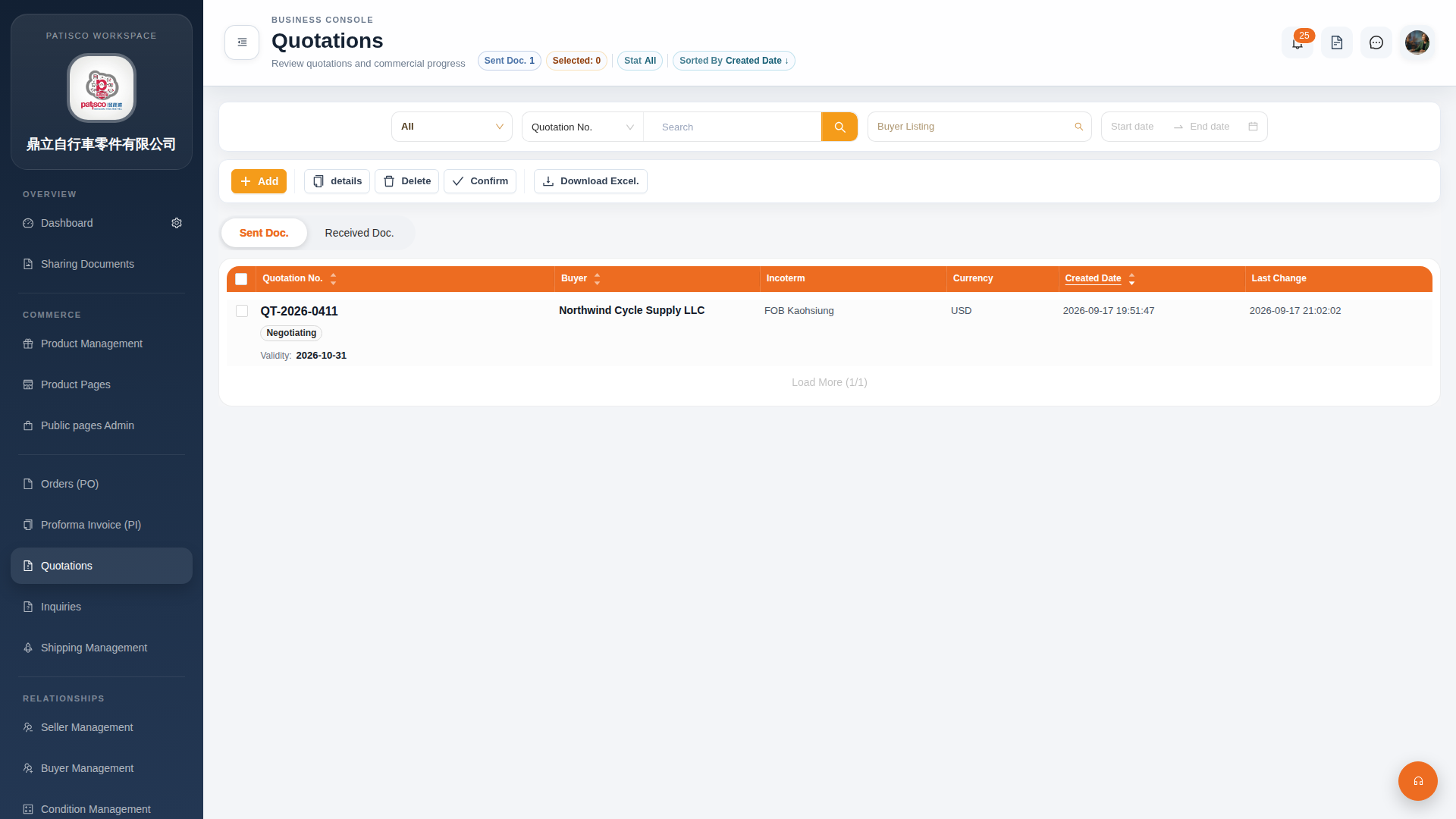 G4 桌面版|Quotations(報價單管理)