
1. Click "Shipping Management" in the left sidebar to enter the Shipping Management page. 2. After entering, there are two main operation buttons at the top of the page: "Add" (add a new shipping document) and "Delete" (delete selected shipping documents). 3. The "Stat: Preparing" dropdown filter on the left side of the search bar can switch to view shipping documents in different statuses (such as Preparing, Shipped, etc.). 4. The middle section of the search bar allows you to select the search field type (such as "Shipping Document No."), enter keywords, and then click the magnifying glass button on the right to execute the search. 5. The list supports clicking on field headers (such as Build Date) to sort, making it convenient to quickly find target documents.
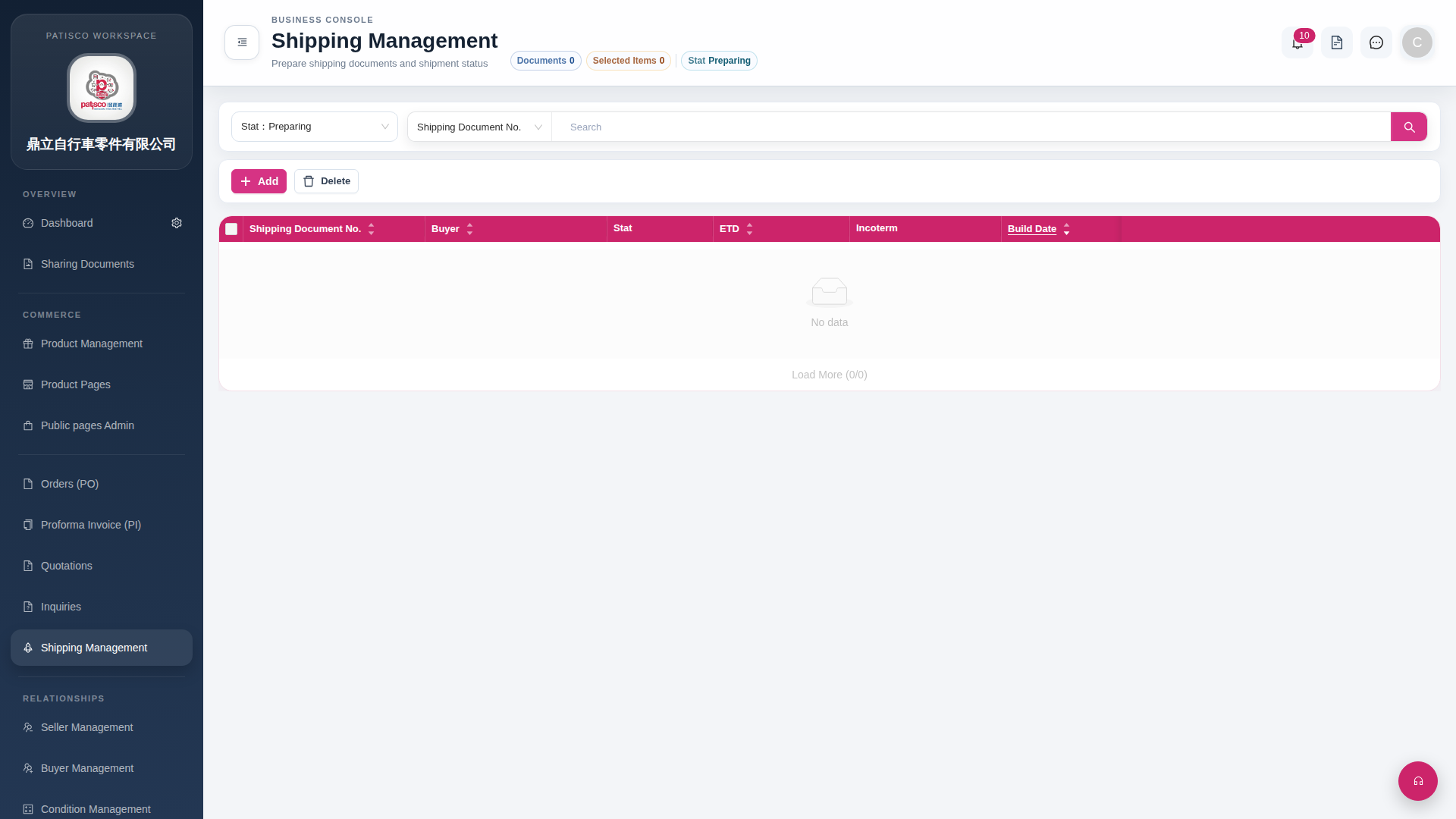 G4 桌面版|Shipping Management