
1. Open the mobile version of Patisco and navigate to the "New AI Conversation" page. 2. Click on the input field at the bottom "Ask AI a question..." and type your question in Chinese or English. 3. Click the pink circular "Send" button (paper plane icon) on the right side of the input field to submit your question. 4. After a moment, the AI response will appear in a conversation bubble, labeled "Processed by AI, data from real-time API queries".
You can ask: "What is our most recent PO?" The AI might respond: "Hello CEO, our most recent valid PO is PO-2026-0902, created on September 17, 2026."
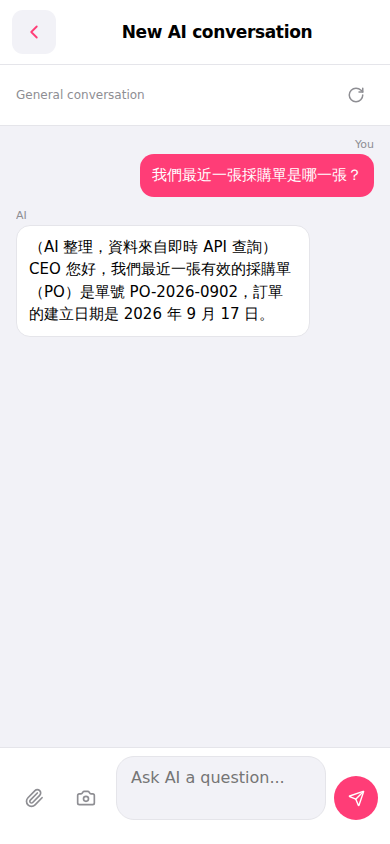 手機版|AI 對話(New AI Conversation)