
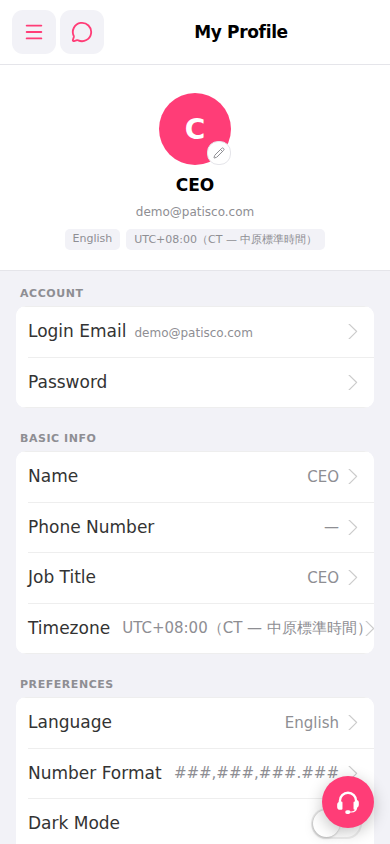
After entering My Profile, you can edit content in three sections:
ACCOUNT section 1. Tap "Login Email" to change your login email address. 2. Tap "Password" to change your login password.
BASIC INFO section 3. Tap "Name" to change your display name. 4. Tap "Phone Number" to change your phone number. 5. Tap "Job Title" to change your job title. 6. Tap "Timezone" to change your timezone setting.
PREFERENCES section 7. Tap "Language" to switch the interface language. 8. Tap "Number Format" to change the number display format. 9. Toggle "Dark Mode" to enable or disable dark mode.
Each field has an arrow (>) on the right side. Tap it to enter the edit page, and your changes will take effect after saving.
 手機版|My Profile