
1. After logging into Patisco on mobile, open the "AI conversation assistant" page (URL: mobile.patisco.com/main/topic). 2. The page defaults to "General conversation" mode, no additional switching is needed. 3. Click the input box "Ask AI a question..." at the bottom of the screen and enter your question. 4. Click the pink send button (paper plane icon) on the right side of the input field to send the question. 5. The AI will query system data through the real-time API and display the response in the conversation window.
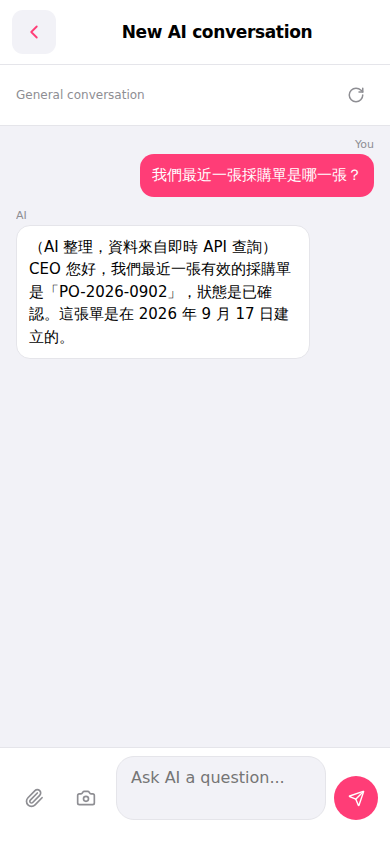 手機版|AI 對話助理