
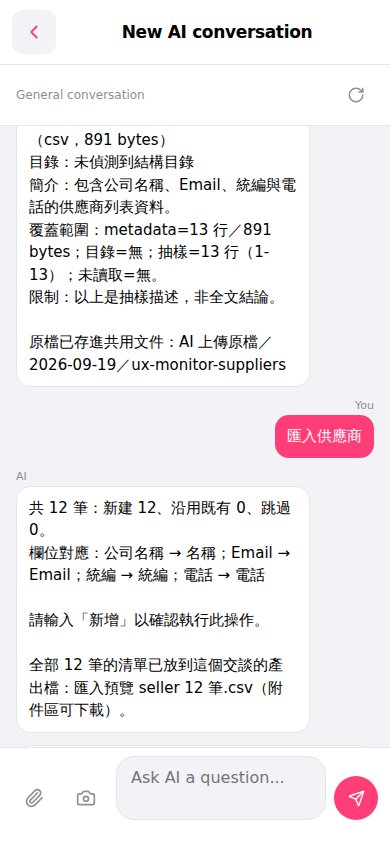
1. Type "import suppliers" in the input box at the bottom of the screen and tap the pink send button on the right. 2. The AI will automatically analyze the uploaded CSV and display the field mapping (for example: company name → name, email → email, tax ID → tax ID, phone → phone) and a summary of records (new adds, reused, skipped). 3. After confirming the field mapping and record count are correct, type "add" in the input box and send to confirm the import. 4. After the AI completes the process, it will generate an import preview CSV file that you can download by clicking the attachment section.
You can ask like this: "Import suppliers (12 row csv)" The AI will respond like this: "Import suppliers AI has 12 records total: 12 new additions, 0 reused, 0 skipped. Field mapping: company name → name; email → email; tax ID → tax ID; phone → phone. Please type 'add' to confirm this operation. The list of all 12 records has been placed in the output file for this conversation: import preview seller 12 records.csv (available for download in the attachment section)."
 手機版|New AI conversation