
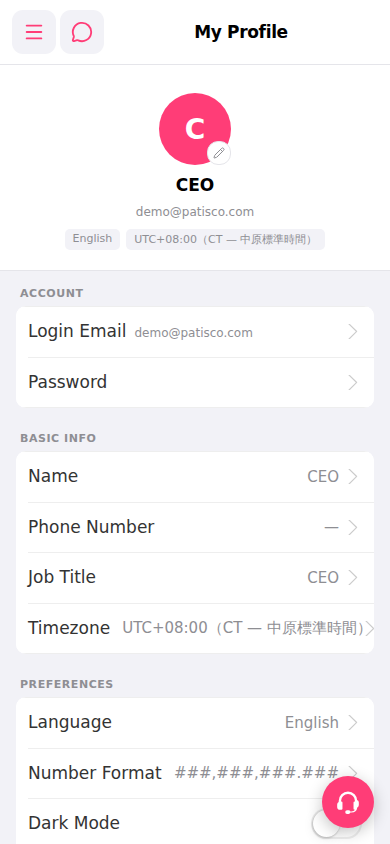
Yes, all of these can be done on the "My Profile" page: 1. Change profile picture: Tap the edit icon (pencil) at the bottom right of your avatar and upload a new image. 2. Change password: Tap "Password" in the "ACCOUNT" section and follow the on-screen instructions to enter your old and new passwords, then save. 3. Toggle dark mode: Find the "PREFERENCES" section and tap the toggle switch next to "Dark Mode" to enable or disable it. 4. In the same section, you can also adjust "Language" (interface language) and "Number Format" (number display format).
 手機版|My Profile