
1. Go to the "AI assistant" page and click "+ New conversation" in the top left to start a new AI chat. 2. Enter your question in the message input box at the bottom of the page. 3. Press Enter or click the paper plane icon on the right side of the input box to send. 4. The AI assistant's reply will appear instantly in the conversation area. 5. To follow up, simply type in the input box and send again. 6. Past conversations can be viewed by clicking them in the left list; unwanted conversations can be deleted by clicking the trash icon on the right side of that conversation.
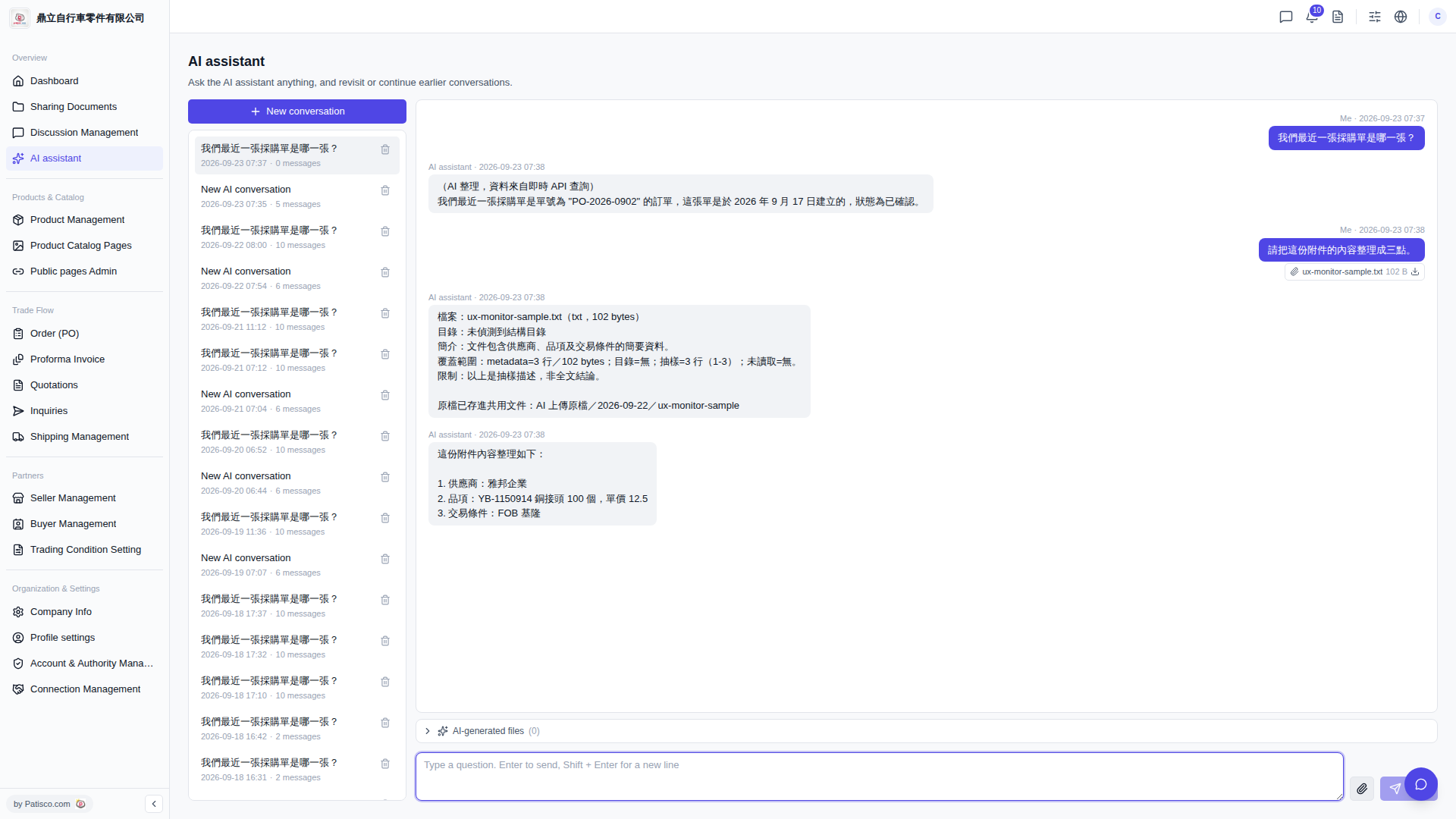 V5 新桌面版|AI assistant