
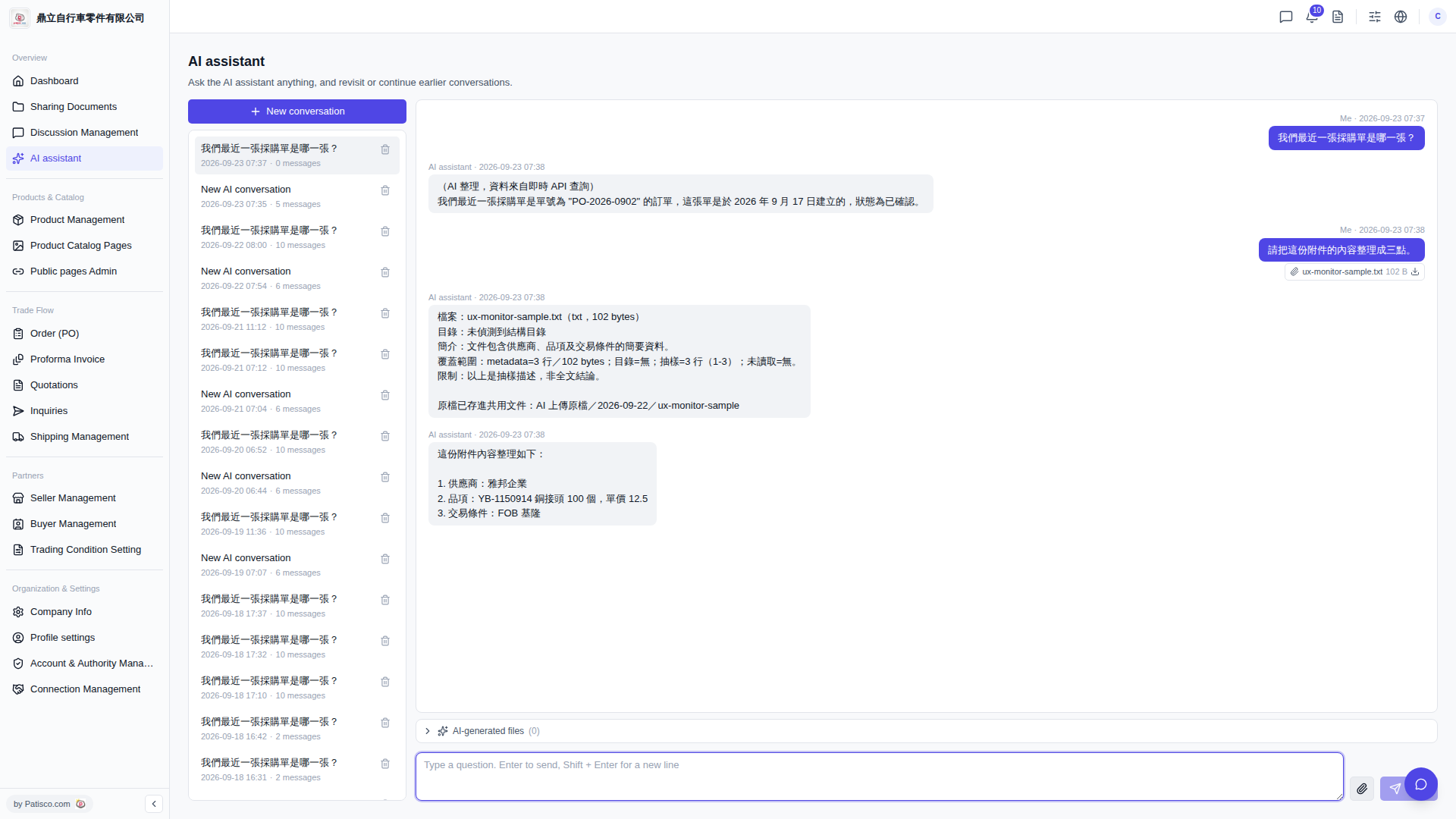
Yes, here are the steps: 1. On the "AI assistant" page, click the paperclip icon on the right side of the message input box at the bottom to upload a file (txt format and others are supported). 2. After selecting the file, type your question in the input box, for example: "Please organize the content of this attachment into three points." 3. Click the paper plane icon or press Enter to send. 4. The AI assistant will first explain the basic information of the file (format, size, sample range), then reply based on the content.
You can ask like this: "Please organize the content of this attachment into three points." The AI will reply like this: "The attachment content is organized as follows: 1. Supplier: ABC Enterprise 2. Item: YB-1150914 Copper connector 100 pcs, unit price 12.5 3. Trading condition: FOB Keelung"
The uploaded original file will automatically be stored in the shared document folder "AI uploaded original files", and you can view the files generated by AI in "AI-generated files" at the bottom of the conversation area.
 V5 新桌面版|AI assistant