
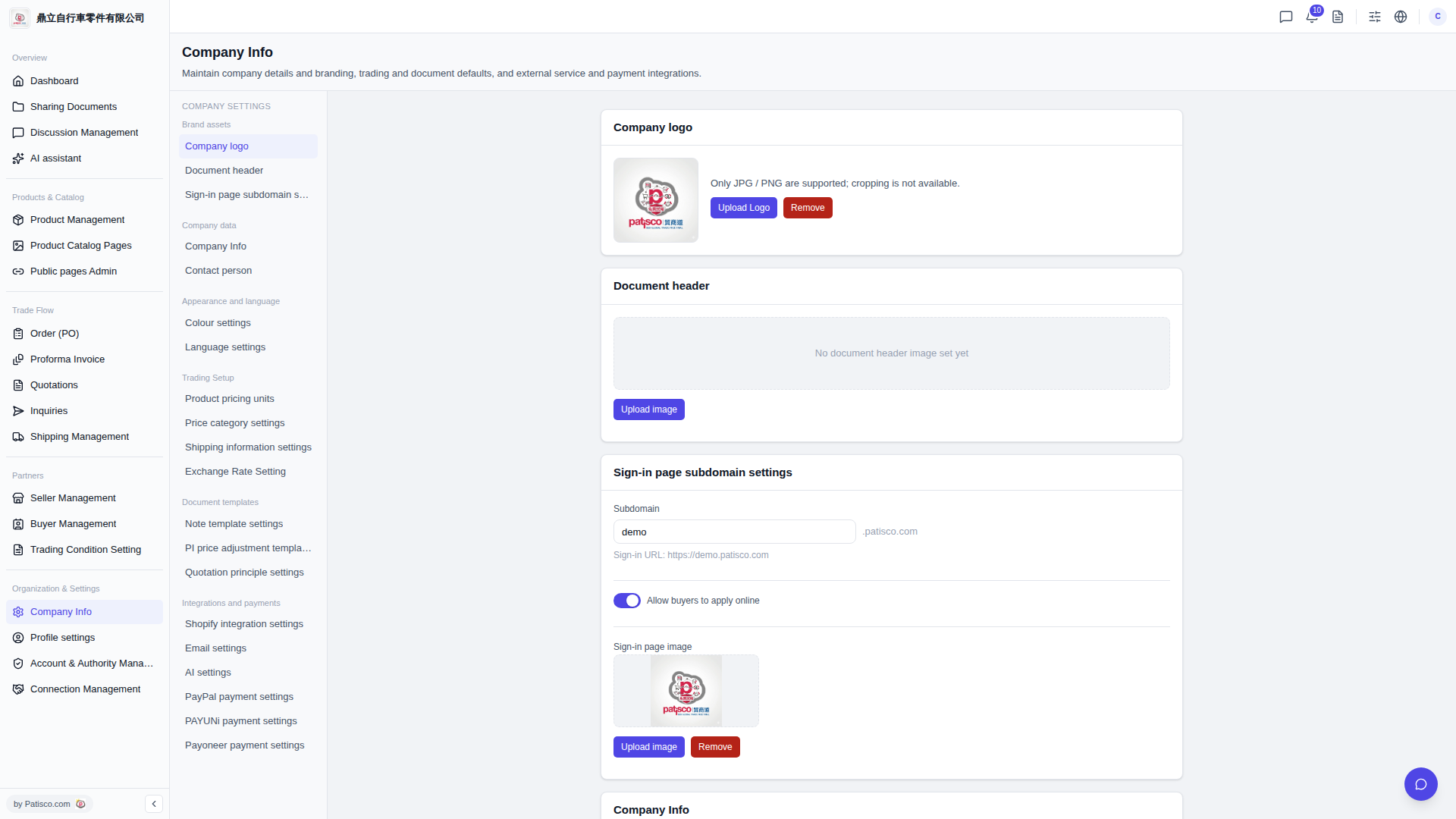
1. Click "Company Info" in the left sidebar to access the company information settings page. 2. You can configure the following items: - Company logo: Click "Upload Logo" to upload your company logo (JPG/PNG only), or click "Remove" to delete the current image. - Document header: Click "Upload image" to upload a document header image. - Subdomain: Enter a subdomain name in the "Subdomain" field (for example: demo), and the system will automatically generate a login URL (format: https://[subdomain].patisco.com). - Allow buyers to apply online: Toggle the switch to blue (enabled) to allow buyers to apply for accounts online. - Sign-in page image: Click "Upload image" to upload a login page image, or click "Remove" to delete the current image. 3. After completing each setting, scroll down to confirm other "Company Info" data sections and save your settings.
 V5 新桌面版|Company Info