
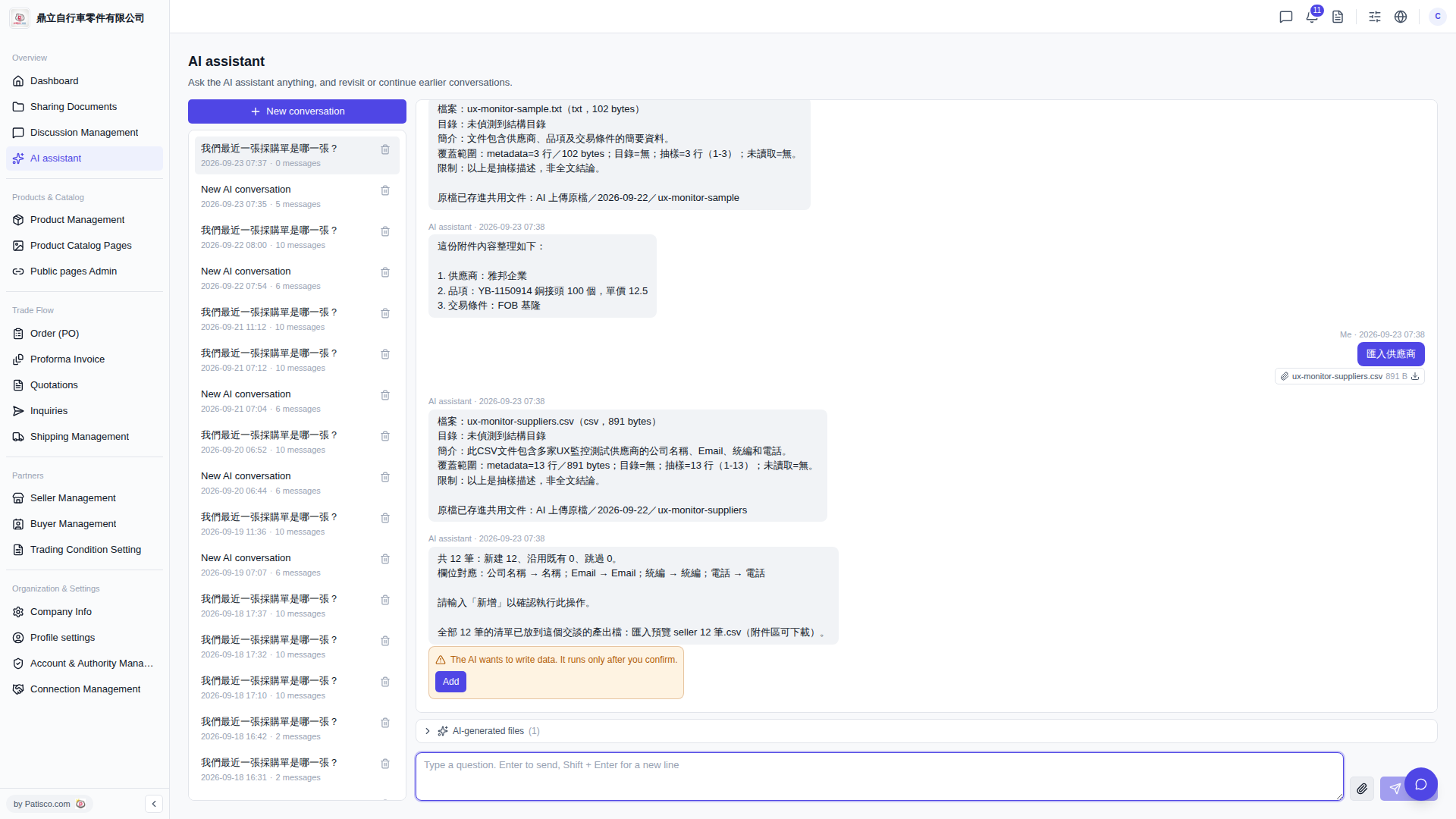
1. After the AI assistant analyzes the CSV, it will first display the field mapping and record preview; at this point, the data has not yet been written and requires your manual confirmation. 2. Type "Add" in the conversation box, and the AI assistant will then formally execute the write operation. 3. After execution is complete, the AI assistant will display the import results (how many records were newly created, how many existing were retained, and how many were skipped). 4. At the same time, the complete import preview list will be placed in the "attachment area" as a CSV attachment, and you can click to download and verify each record. 5. The original uploaded file will also be automatically stored in the "AI uploaded original files" shared document folder for easy future verification.
 V5 新桌面版|ai.outputs.csv