
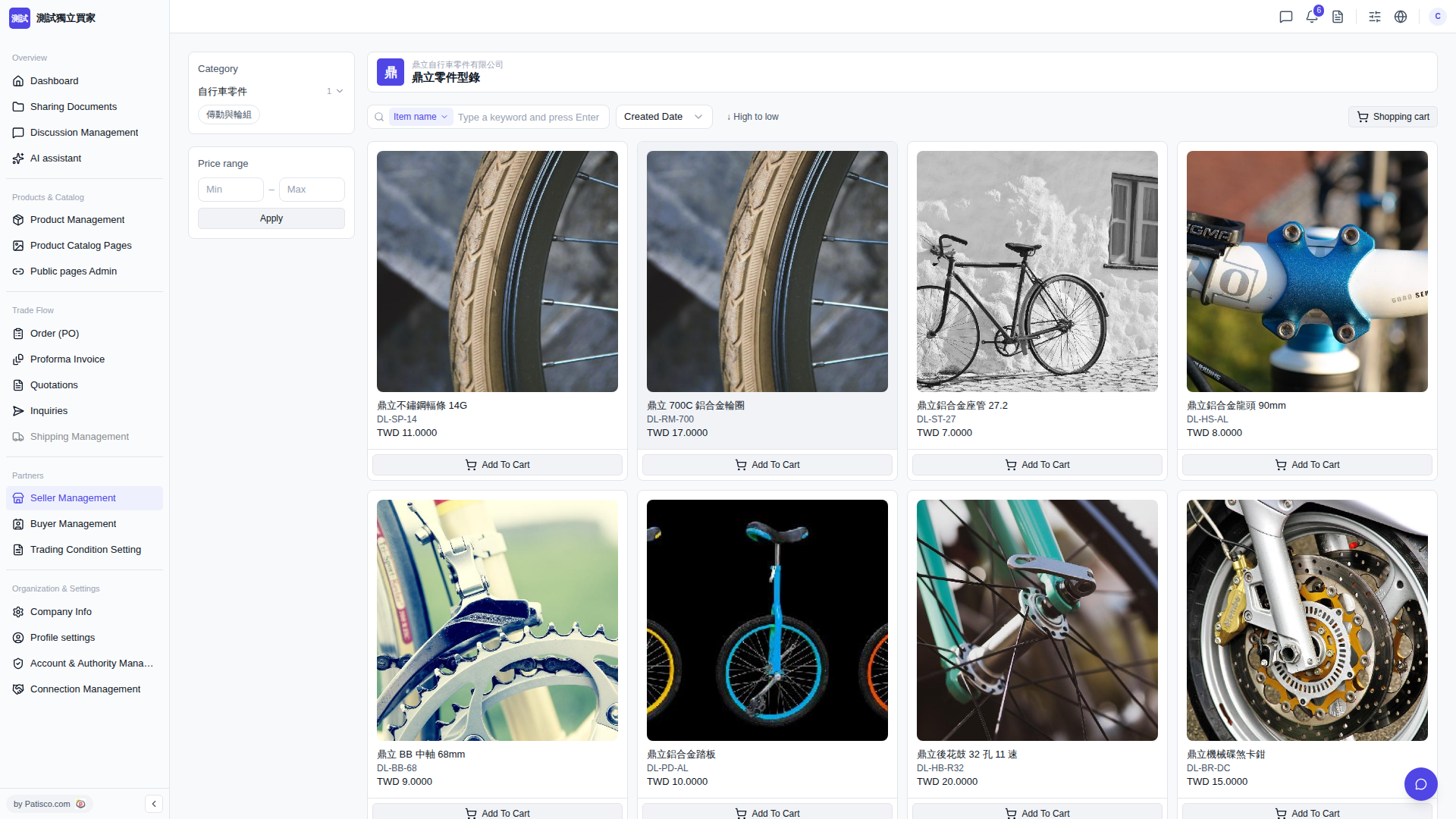
1. Browse products on the catalog page; each product card will display the product name, product number (DL-xxx), and price (TWD). 2. After confirming the product, click "Add To Cart" at the bottom of the product card, and the product will be added to the shopping cart. 3. After selecting all products, click "Shopping cart" in the top right to view the shopping cart contents, then proceed to checkout or create an inquiry/PO.
 V5 新桌面版|鼎立零件型錄