
1. After accessing the product catalog (Catalog) list page, you can use the filter panel on the left to narrow down the range by checking Brand (Patisco/Xinosys), Product Web Page, Product Sales, Hosting Service, and other conditions. 2. To filter by price, enter a price range in the Min Price and Max Price fields in the left filter panel, then click "Apply" to apply the filter. 3. To search by keyword, select Item name in the search bar at the top of the page, enter the keyword, and press Enter. 4. You can click the sort button "Created Date / High to low" in the top right to adjust the display order of the product list. 5. Browse the product cards, confirm the product name, part number, and price (TWD), then click "Add To Cart" at the bottom of the card to add it to your shopping cart. 6. Click "Shopping cart" in the top right corner to confirm the items you selected and complete the purchase process.
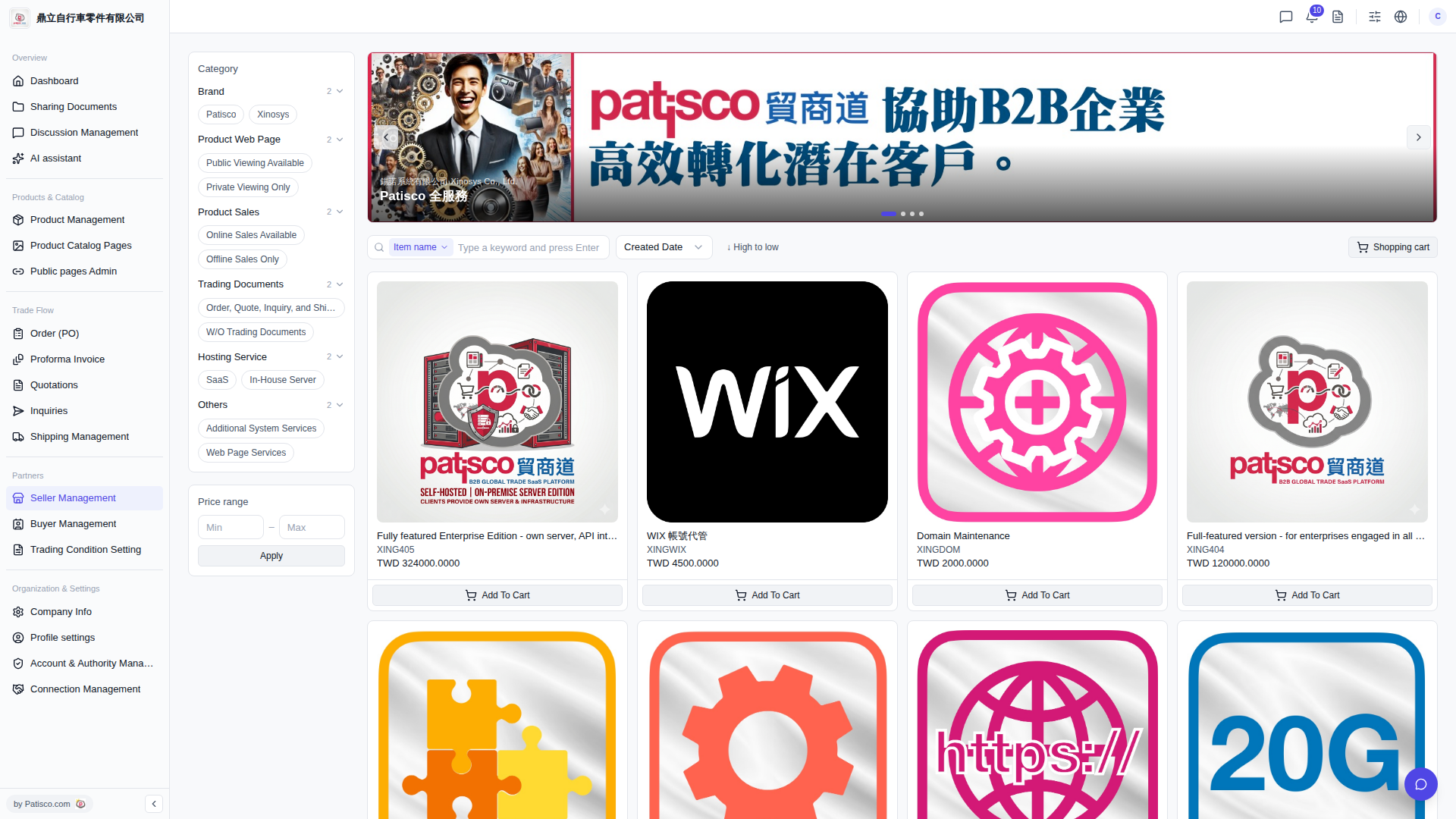 V5 新桌面版|產品目錄(Catalog)列表