
1. Open Patisco mobile version and go to the "New AI conversation" page. The system is set to general conversation mode by default. 2. Tap the input field "Ask AI a question..." and enter the question you want to ask. 3. Tap the pink send button on the right to submit the question. AI will query the system data in real-time and reply in the conversation box.
You can ask like this: "What is our most recent PO?" AI will reply like this: "The most recent PO is 'PO-2026-0902', created on September 17, 2026, with a status of confirmed."
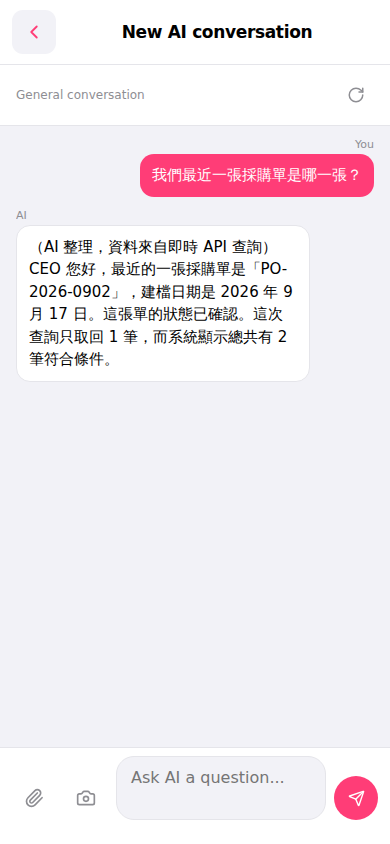 手機版|New AI conversation(AI 對話)