
After entering the My Profile page, you can modify the following: 1. ACCOUNT section: Tap "Login Email" to view or change your login email; tap "Password" to change your login password. 2. BASIC INFO section: Tap "Name" to edit your display name; tap "Phone Number" to add or update your phone number; tap "Job Title" to change your job title; tap "Timezone" to adjust your timezone setting. 3. PREFERENCES section: Tap "Language" to switch the interface language; tap "Number Format" to change the number format; tap the toggle next to "Dark Mode" to instantly switch to dark mode.
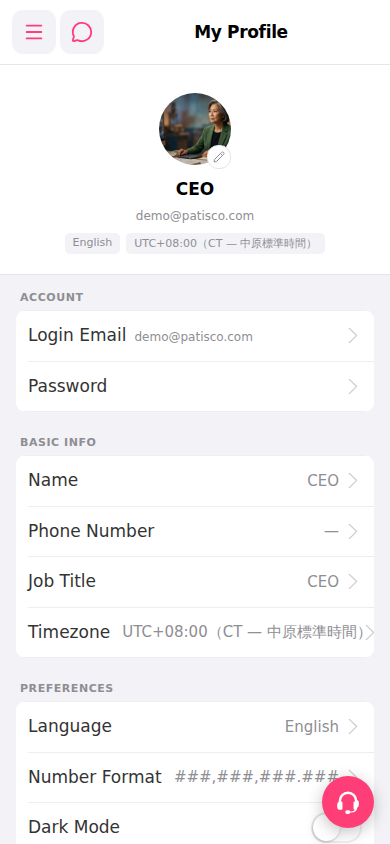 手機版|My Profile