
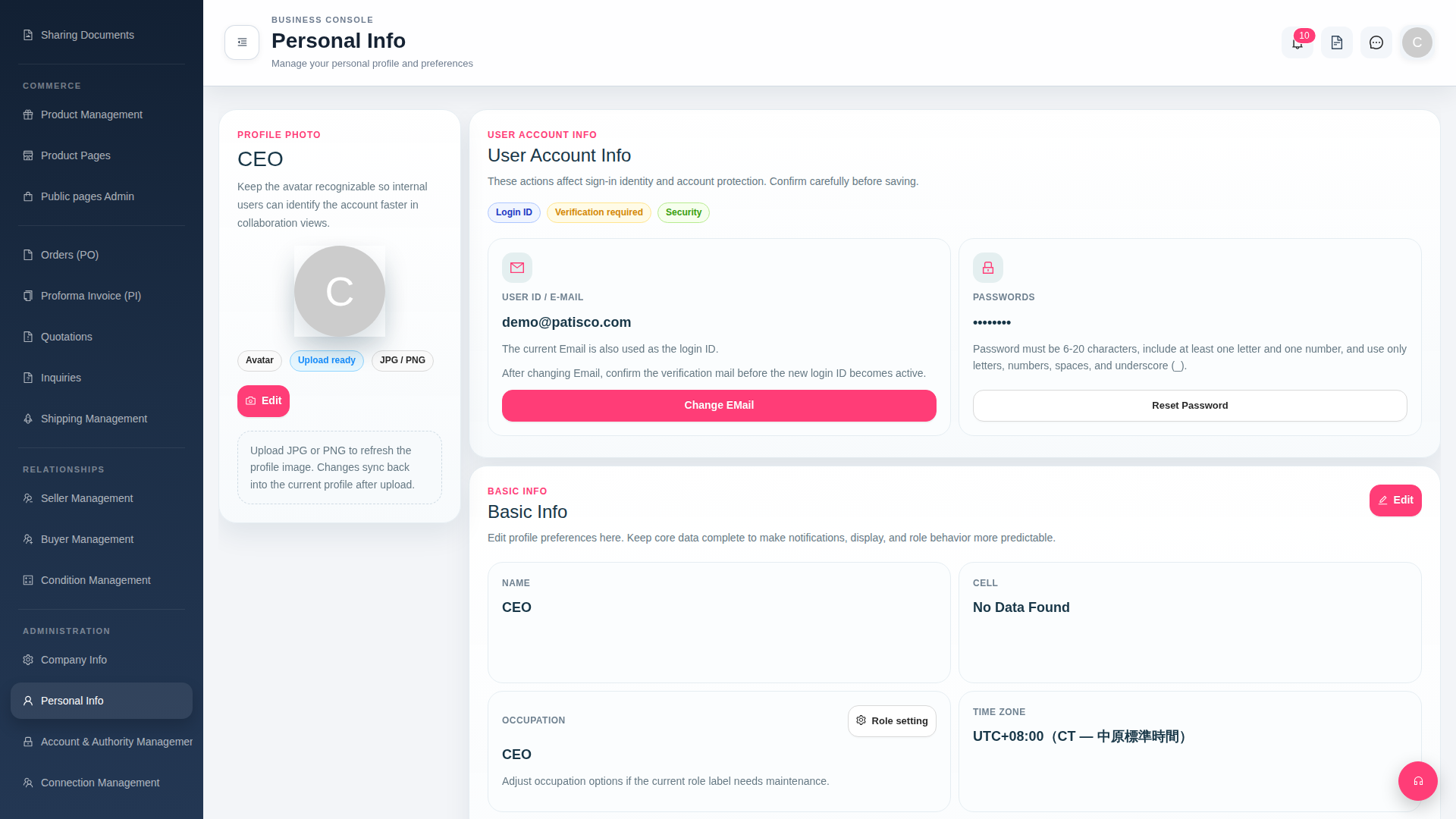
1. Click "Personal Info" under the "ADMINISTRATION" category in the left sidebar to enter the personal information page. 2. Find the "Basic Info" section and click the pink "Edit" button in the upper right corner. 3. Modify the fields such as "NAME", "CELL", "OCCUPATION", or "TIME ZONE". 4. Save after making changes to take effect.
 G4 桌面版|Personal Info