
Creating a new quotation: 1. After entering the Quotations list page, click the orange "Add" button in the upper left of the list. 2. Fill in the quotation information (such as Quotation No., Buyer, Incoterm, Currency, Validity, etc.) and save.
Searching for a specific quotation: 1. Select a search condition (such as Quotation No.) from the search bar at the top of the page, enter a keyword, and click the magnifying glass button. 2. To filter by a specific buyer, enter the buyer's name in the "Buyer Listing" field to filter. 3. After finding the target quotation, check the checkbox for that record, then click "details" to view details, "Confirm" to confirm, or "Delete" to delete.
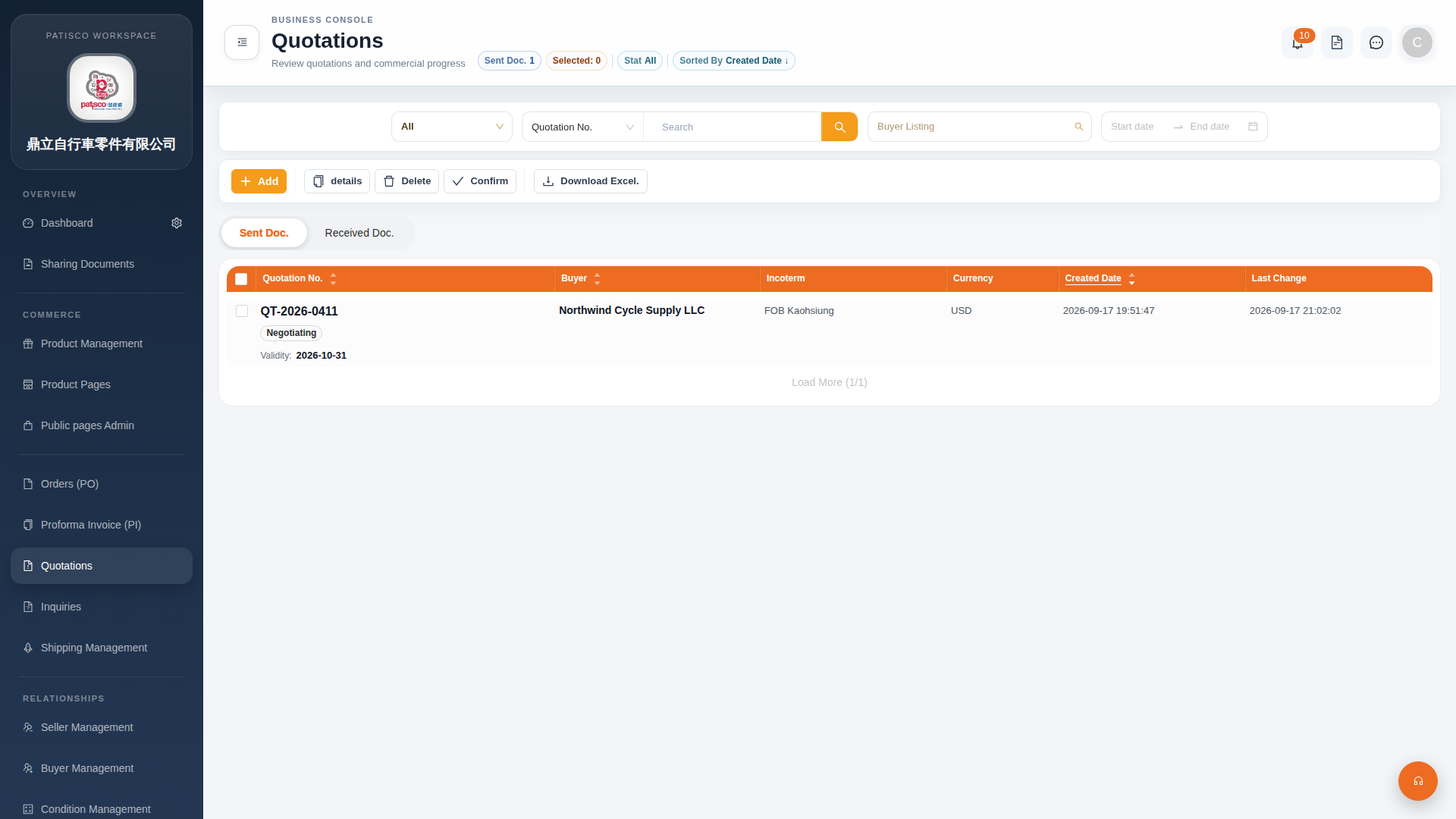 G4 桌面版|Quotations(報價單管理)