
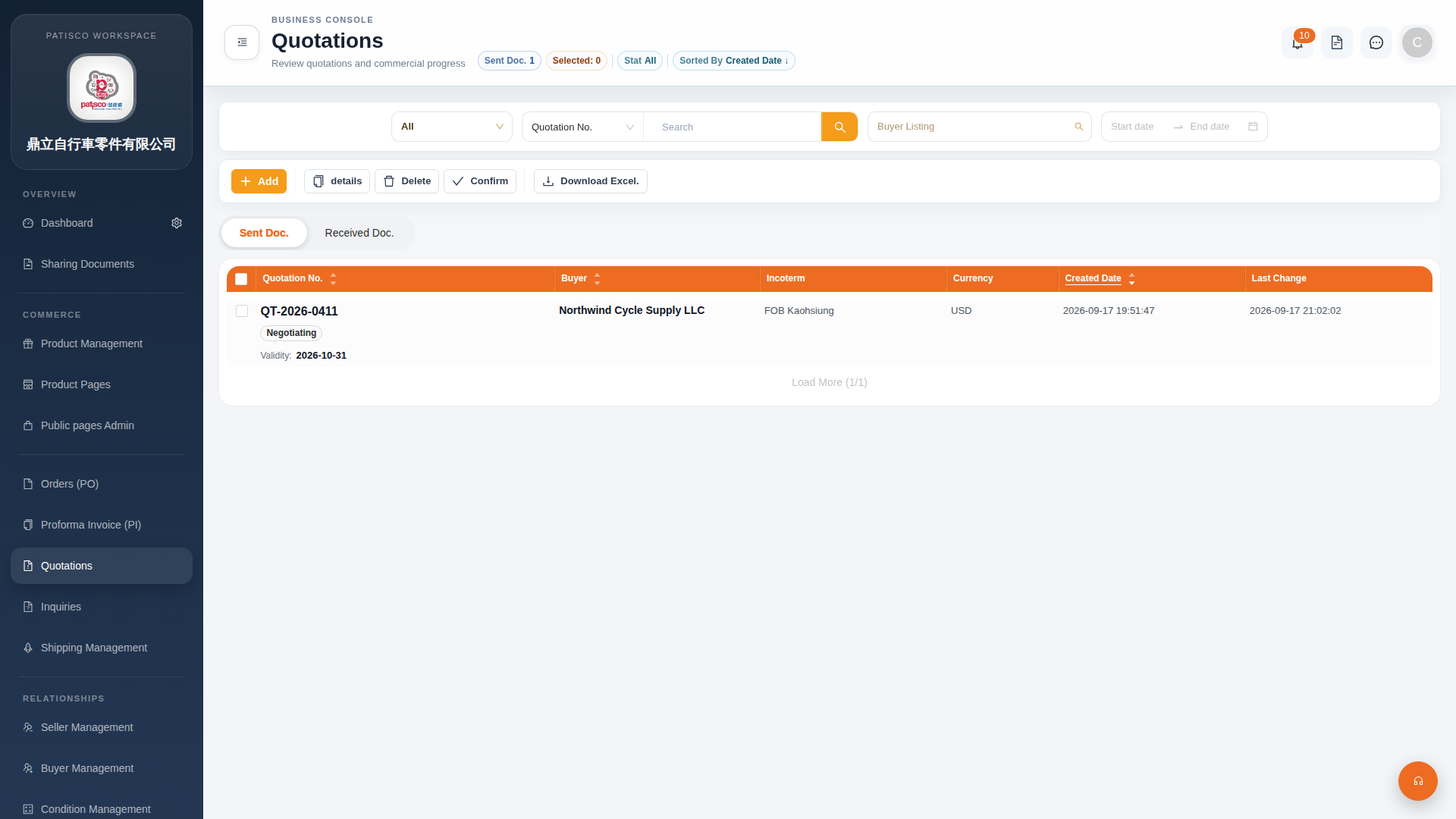
1. Click "Quotations" in the left sidebar to enter the Quotations list page. 2. The page displays the "Sent Doc." tab by default (sent quotation documents). To view received quotations, click the "Received Doc." tab next to it. 3. The list provides the following main action buttons at the top: - "Add": Create a new quotation - "details": View the details of the selected quotation - "Confirm": Confirm the selected quotation - "Delete": Delete the selected quotation - "Download Excel.": Export the current list data as an Excel file 4. The filter bar at the top allows you to view all status statistics using "Stat All" or sort by "Sorted By Created Date".
 G4 桌面版|Quotations(報價單管理)