
1. Open your mobile browser and go to the "Quotation Management (Quotations)" page. 2. The page will default to the "Sent Doc." tab, which displays the quotations you've sent. 3. Click on any quotation card (e.g., QT-2026-0411) to enter the details page and view the full content. 4. To perform actions on a quotation, click the "⋮" (three dots) menu on the right side of that row and select edit or delete.
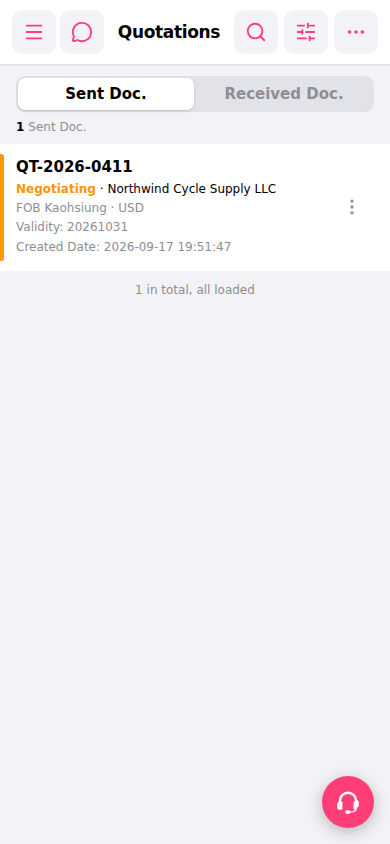 手機版|報價單管理(Quotations)