
1. After entering the "Quotation Management (Quotations)" page, click the "Received Doc." tab in the tab bar at the top right to switch to the received list. 2. To search for a specific quotation, click the magnifying glass icon in the top right, then enter a keyword to search. 3. To filter by conditions (e.g., status, date range), click the filter (adjustment) icon in the top right, set the conditions, and apply. 4. Click on a quotation card in the list to view the full details of that quotation.
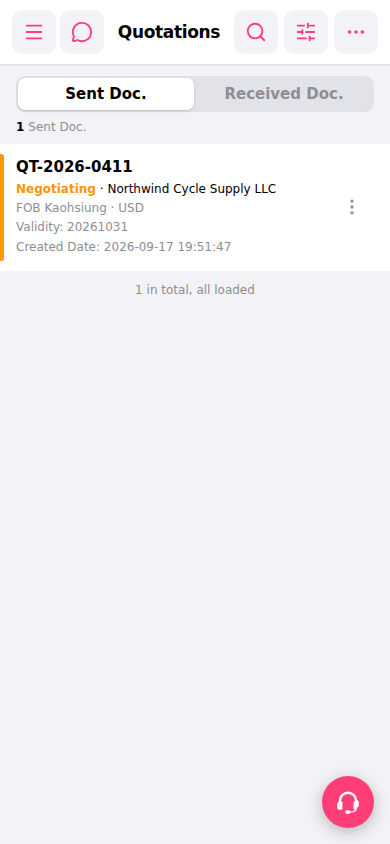 手機版|報價單管理(Quotations)