
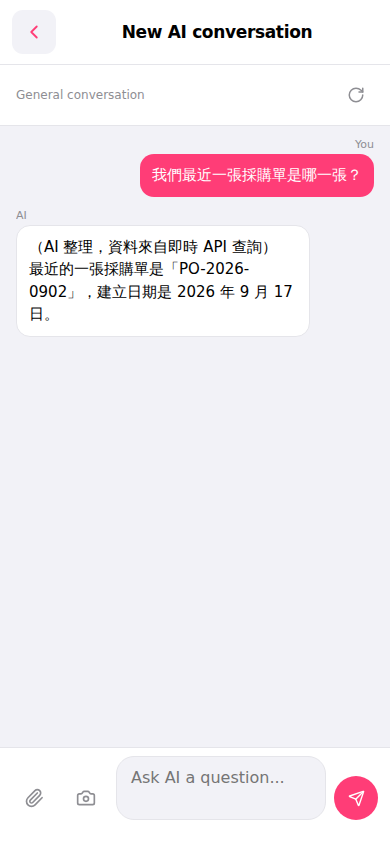
1. After entering the "AI assistant" page, tap the input box at the bottom "Ask AI a question...". 2. Type your question in natural language, for example: "What is our most recent purchase order?" 3. Tap the pink send button (paper plane icon) at the bottom right to submit your question. 4. Wait for the AI to query the system data via the real-time API, and the answer will appear in the conversation message area.
Example question: "What is our most recent purchase order?" Example AI response: "Your most recent PO is 'PO-2026-0902', created on September 17, 2026."
 手機版|AI 對話助理