
1. Open your browser and navigate to the mobile version of Patisco (mobile.patisco.com), then go to the "Purchasing Order" page. 2. The page displays "Sent Doc." (sent documents) by default, where you can directly browse the sent PO cards. Each card shows the PO number, status, supplier name, amount (USD), ETD, and other information. 3. To view documents sent to you by the other party, click the "Received Doc." tab on the upper right side of the page to switch the list. 4. Click any PO card to enter the detailed page of that order to view the full content.
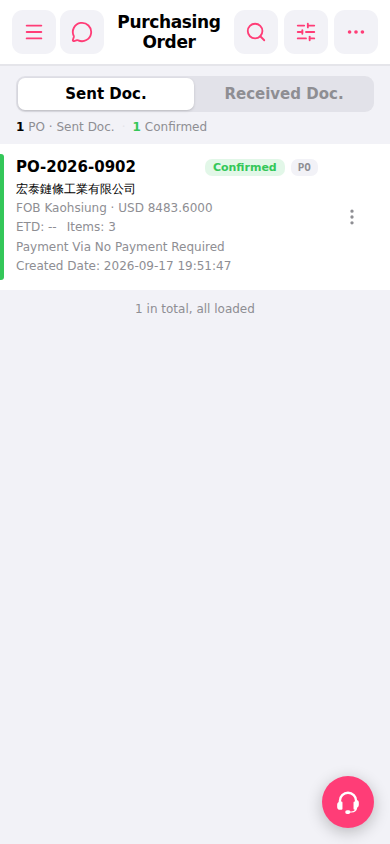 手機版|Purchasing Order(採購訂單)