
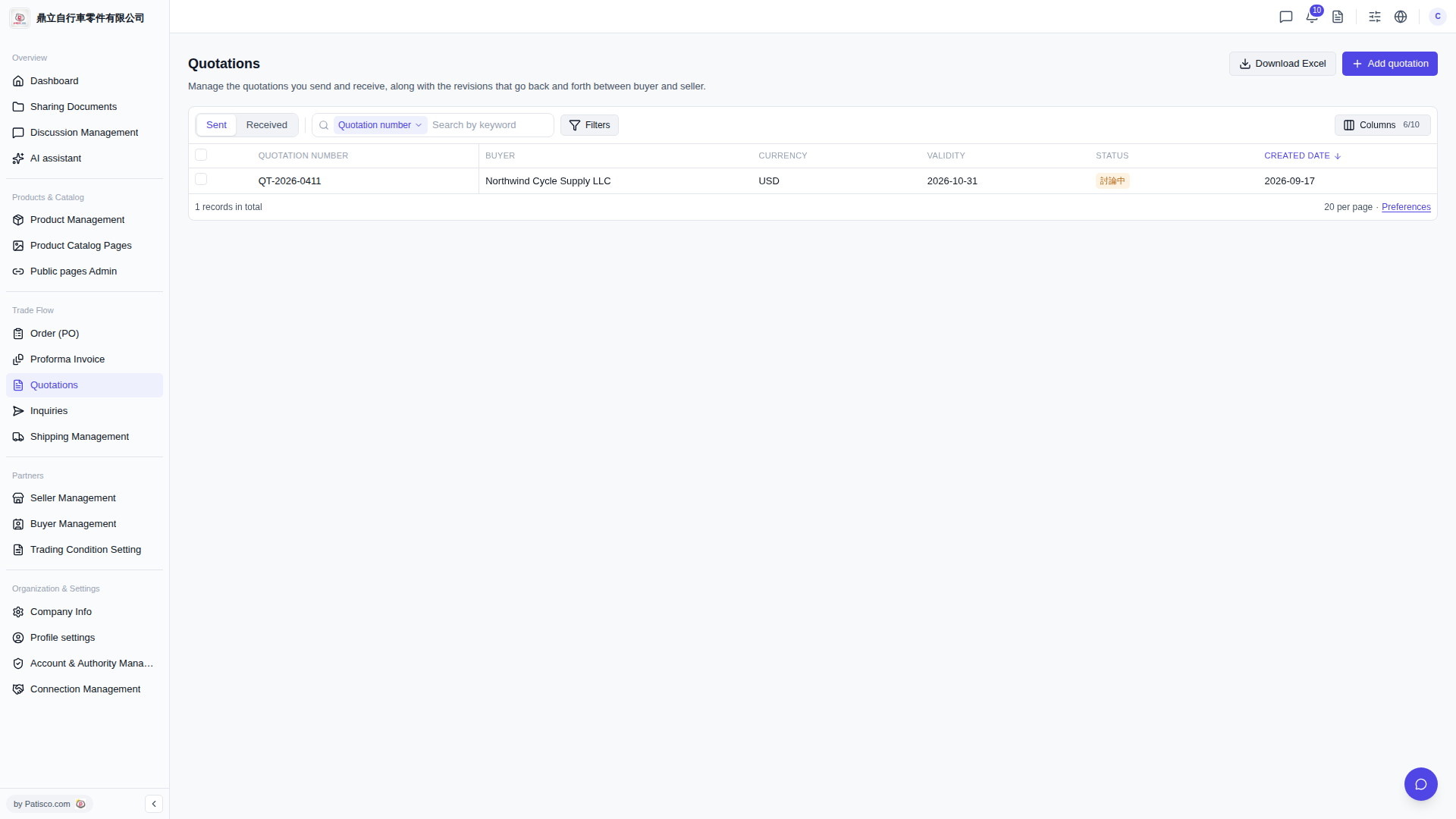
1. Click "Quotations" in the "Trade Flow" section of the left sidebar to access the quotation management page. 2. The page will display a list of quotations by default, with columns including "QUOTATION NUMBER", "BUYER", "CURRENCY", "VALIDITY", "STATUS", "CREATED DATE", and more. 3. To view quotations you sent, click the "Sent" tab on the left side of the filter row; to view quotations you received, click the "Received" tab. 4. Click the quotation number in the list (for example, QT-2026-0411) to access the detailed page for that quotation.
 V5 新桌面版|Quotations(報價單管理)