
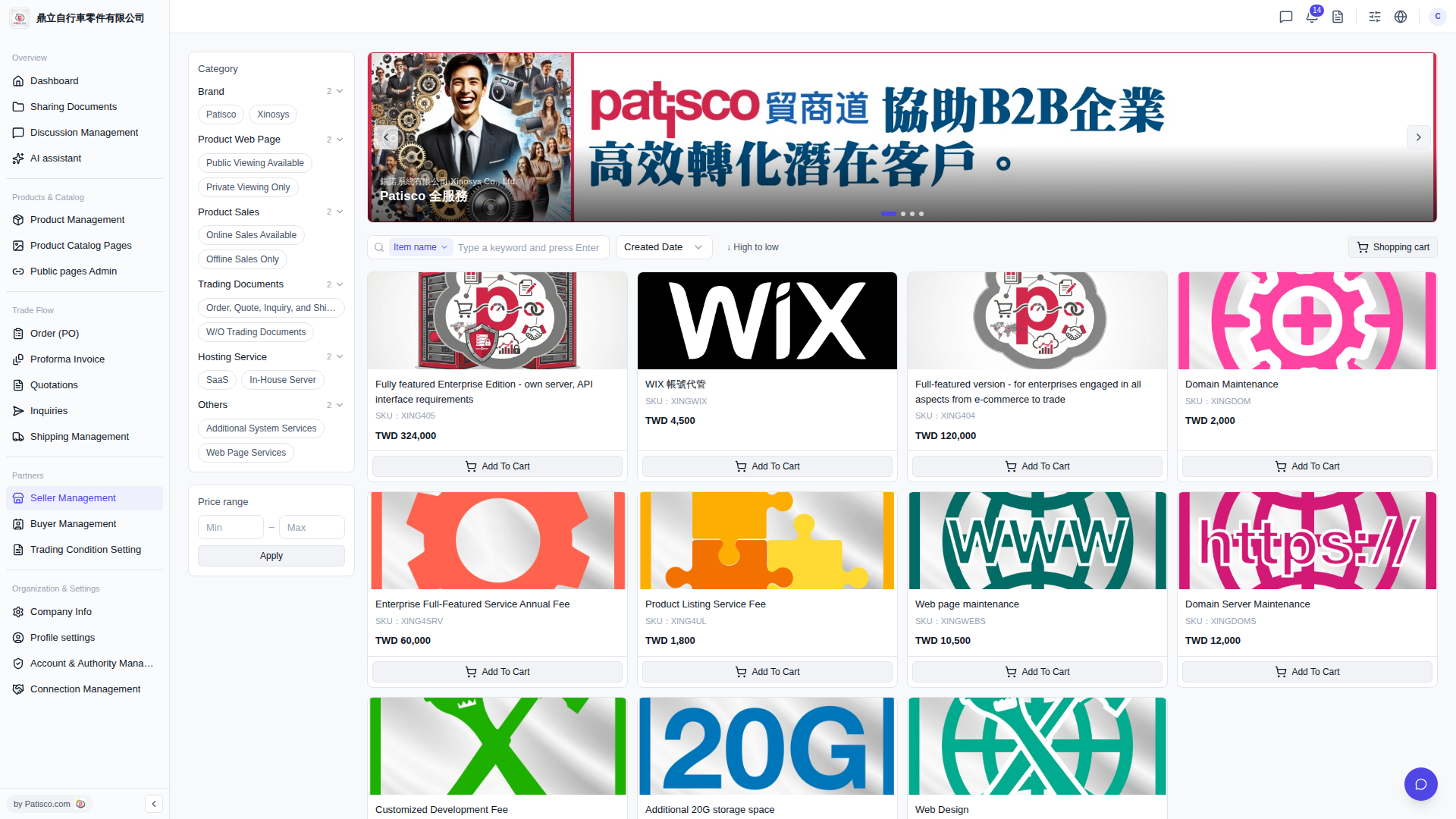
1. After opening the product catalog page, in the left Category section, click the appropriate tags as needed, for example: - Brand: Patisco or Xinosys - Product Web Page: Public Viewing Available or Private Viewing Only - Product Sales: Online Sales Available or Offline Sales Only 2. To filter by price, fill in Min (minimum price) and Max (maximum price) in the "Price range" field on the left, then click the "Apply" button to apply the filter. 3. To search by name, select "Item name" in the search bar, enter a keyword, and press Enter. 4. You can click "Created Date" and "High to low" to adjust the product sorting order.
 V5 新桌面版|產品目錄(Product Catalog)