
1. Click "Quotations" in the left sidebar to enter the "Quotations (quotation management)" list page. 2. There are two tabs at the top of the page: "Sent" and "Received". Click to switch between viewing sent or received quotations. 3. To search for a specific quotation, enter keywords in the search field, or click "Filters" on the right side of the search bar to open the filter panel and filter results. 4. Click a quotation number in the list (for example, QT-2026-0411) to open the detailed page for that quotation.
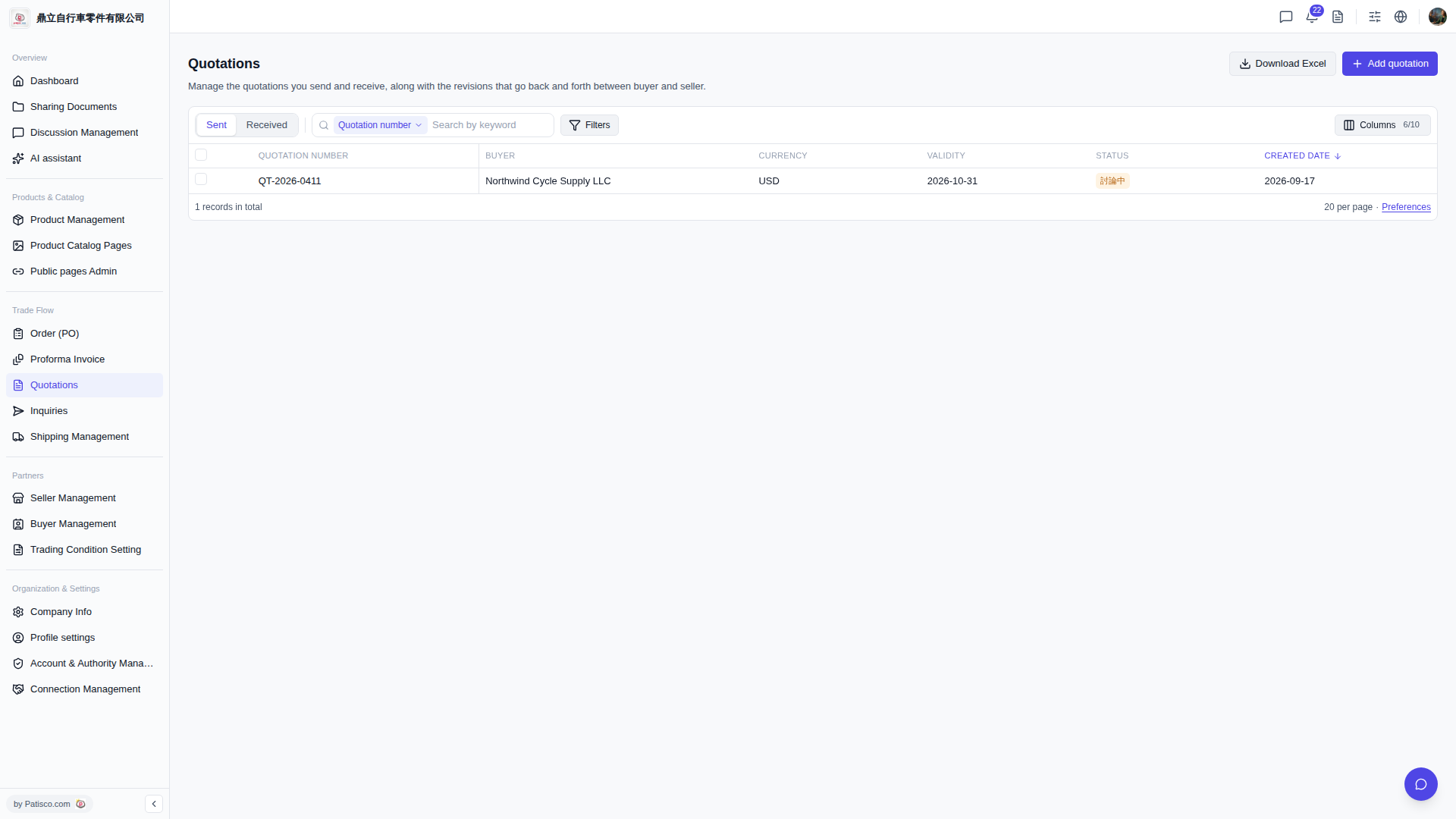 V5 新桌面版|Quotations(報價單管理)