
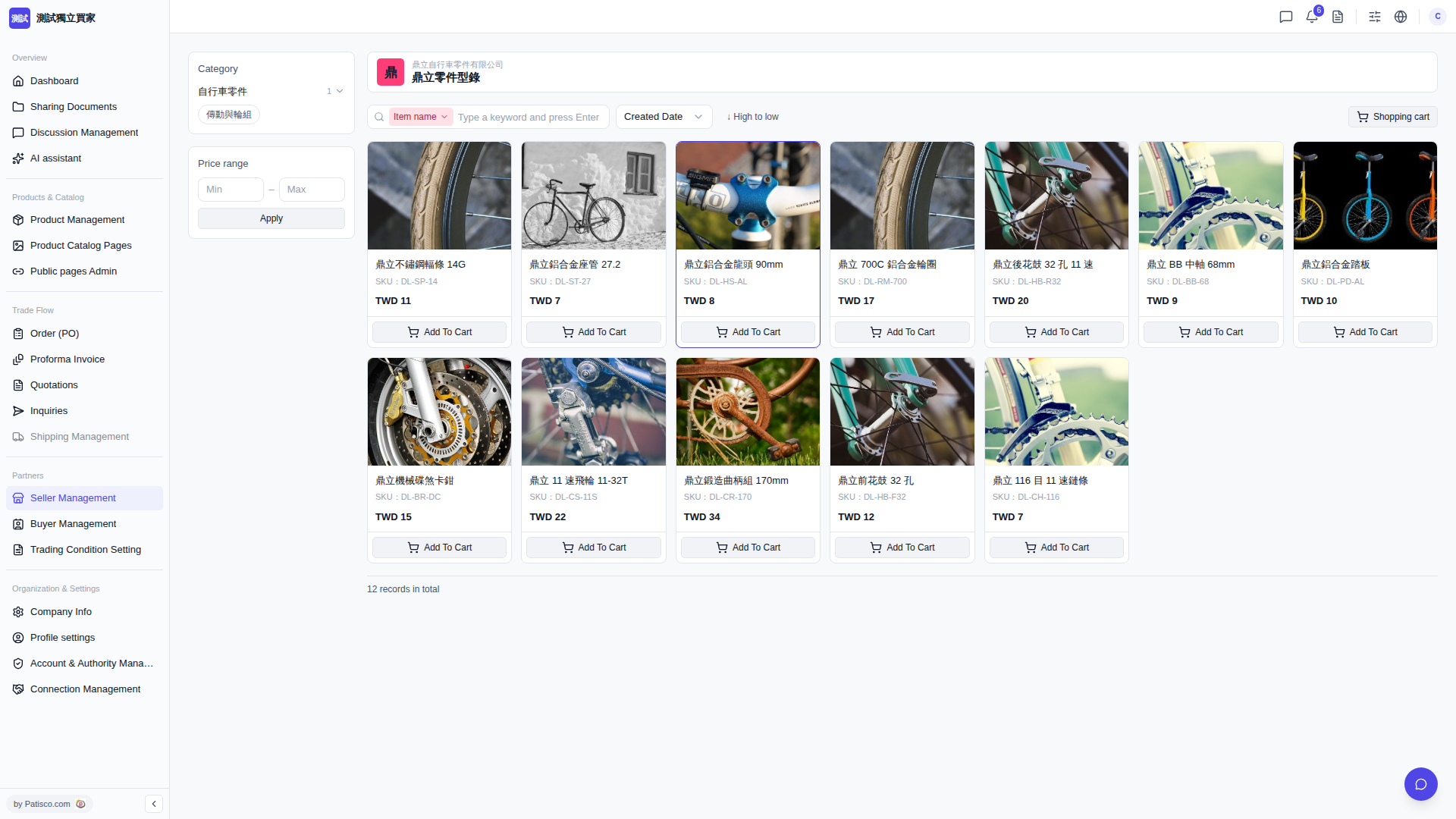
1. After entering the catalog link shared by the supplier, the screen displays that supplier's catalog page (for example, "Dinglipart Catalog"). 2. You can select categories on the left, such as "Bicycle Parts" → "Drivetrain and Wheels" to filter the items you are looking for. 3. If you need to filter by price, you can enter the price range in the Price range field and click "Apply" to apply the filter. 4. The product list is sorted by default by "Created Date ↓ (newest to oldest)", but you can also switch to "High to low" to sort by price. 5. Once you find the product you want (for example, "Dingli Stainless Steel Spoke 14G, SKU: DL-SP-14, TWD 11"), click "Add To Cart" to add it to your shopping cart.
 V5 新桌面版|buyer.catalog.open