
1. After entering the product catalog marketplace (Seller Catalog), check the conditions you need in the left filter column. For example, under "Brand" you can select Patisco or Xinosys; under "Product Web Page" you can select Public Viewing Available or Private Viewing Only; under "Hosting Service" you can select SaaS or In-House Server, etc. 2. If you need to limit the price range, fill in Min and Max values in "Price range" at the bottom left, then click "Apply" to apply. 3. If you know the product name, you can also directly enter keywords in the search bar above (Item name) and press Enter to search. 4. Search results can be re-sorted by clicking the "Created Date" or "High to low" dropdown menu to adjust the sort order.
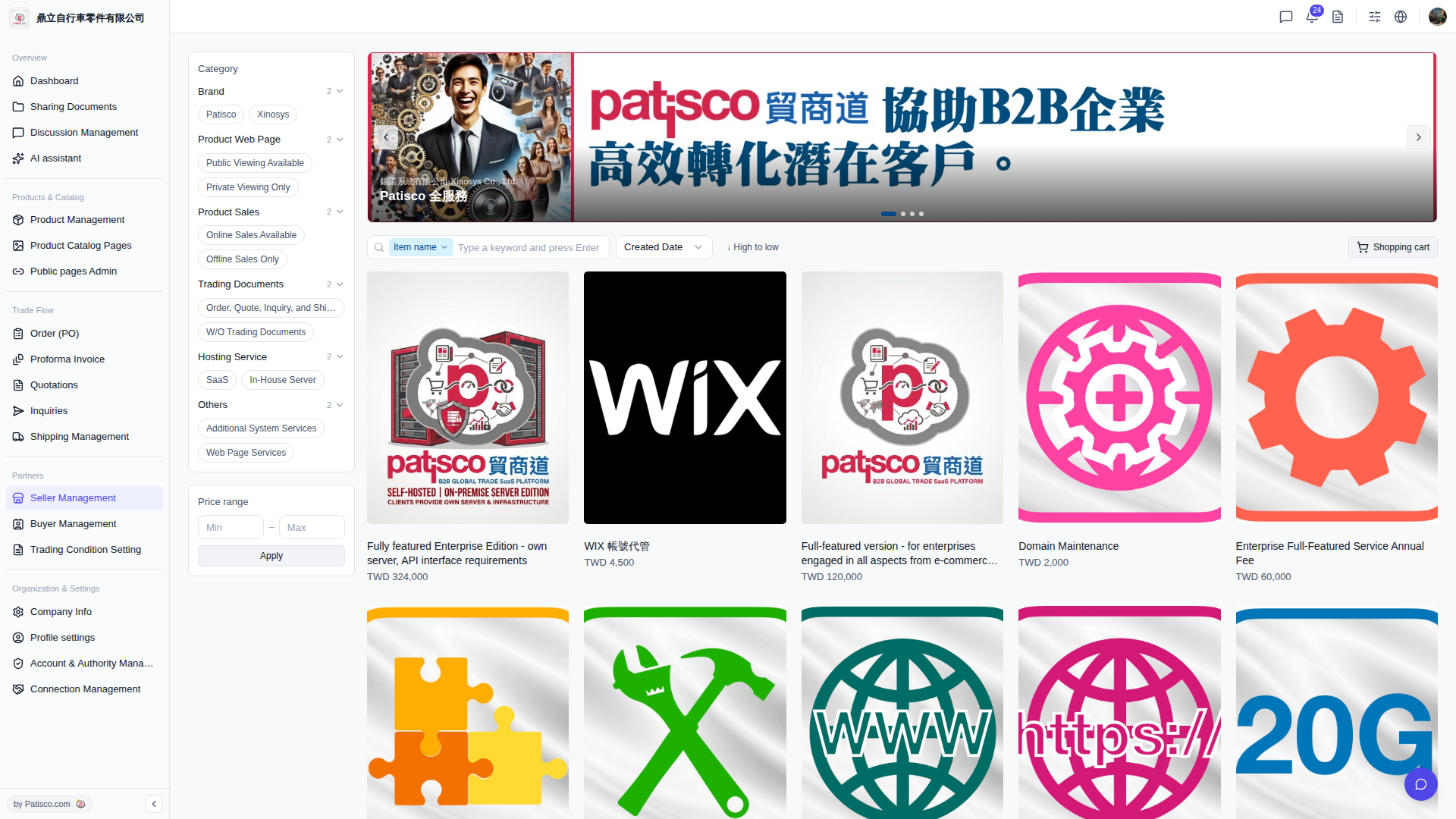 V5 新桌面版|產品目錄商城(Seller Catalog)