
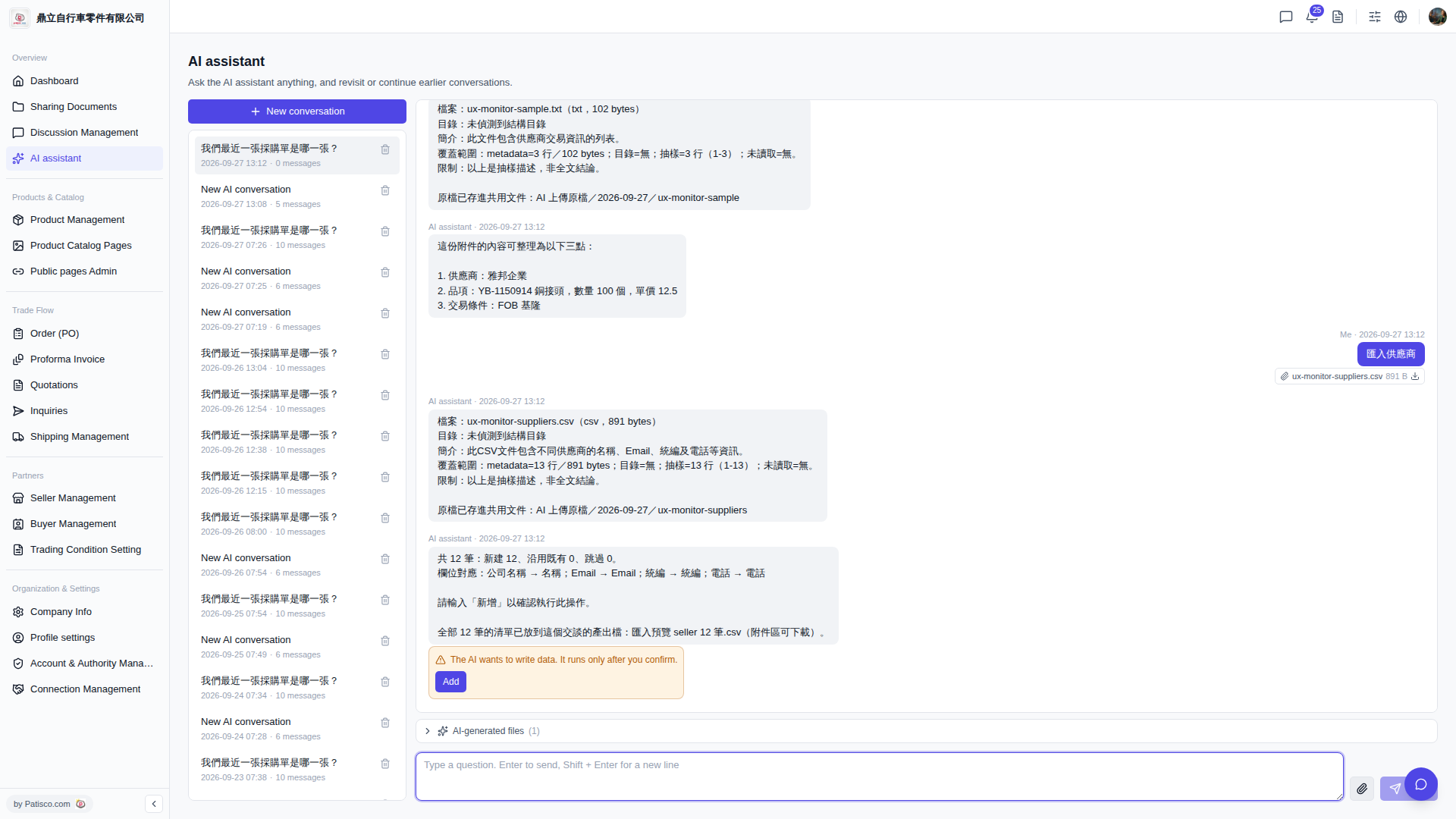
Yes, you can batch add suppliers by uploading a CSV file through the AI assistant. Follow these steps: 1. Go to the AI assistant page (URL contains /ai-assist). 2. Upload your prepared supplier CSV file to the conversation box (it must include fields such as "Company Name", "Email", "Tax ID", "Phone", etc.). 3. The AI assistant will automatically parse the file and display the field mapping results (for example: Company Name → Name; Email → Email; Tax ID → Tax ID; Phone → Phone) and list the number of records to be imported. 4. After confirming there are no errors, type "Add" in the conversation box, and the AI assistant will then execute the import. 5. After import is complete, you can download "Import preview seller 12 records.csv" from the attachment area to confirm the results.
You can ask like this: "Import suppliers (12 rows csv)"
The AI will respond: "Total 12 records: 12 new, 0 existing, 0 skipped. Field mapping: Company Name → Name; Email → Email; Tax ID → Tax ID; Phone → Phone. Please type 'Add' to confirm this operation."
 V5 新桌面版|ai.outputs.csv