
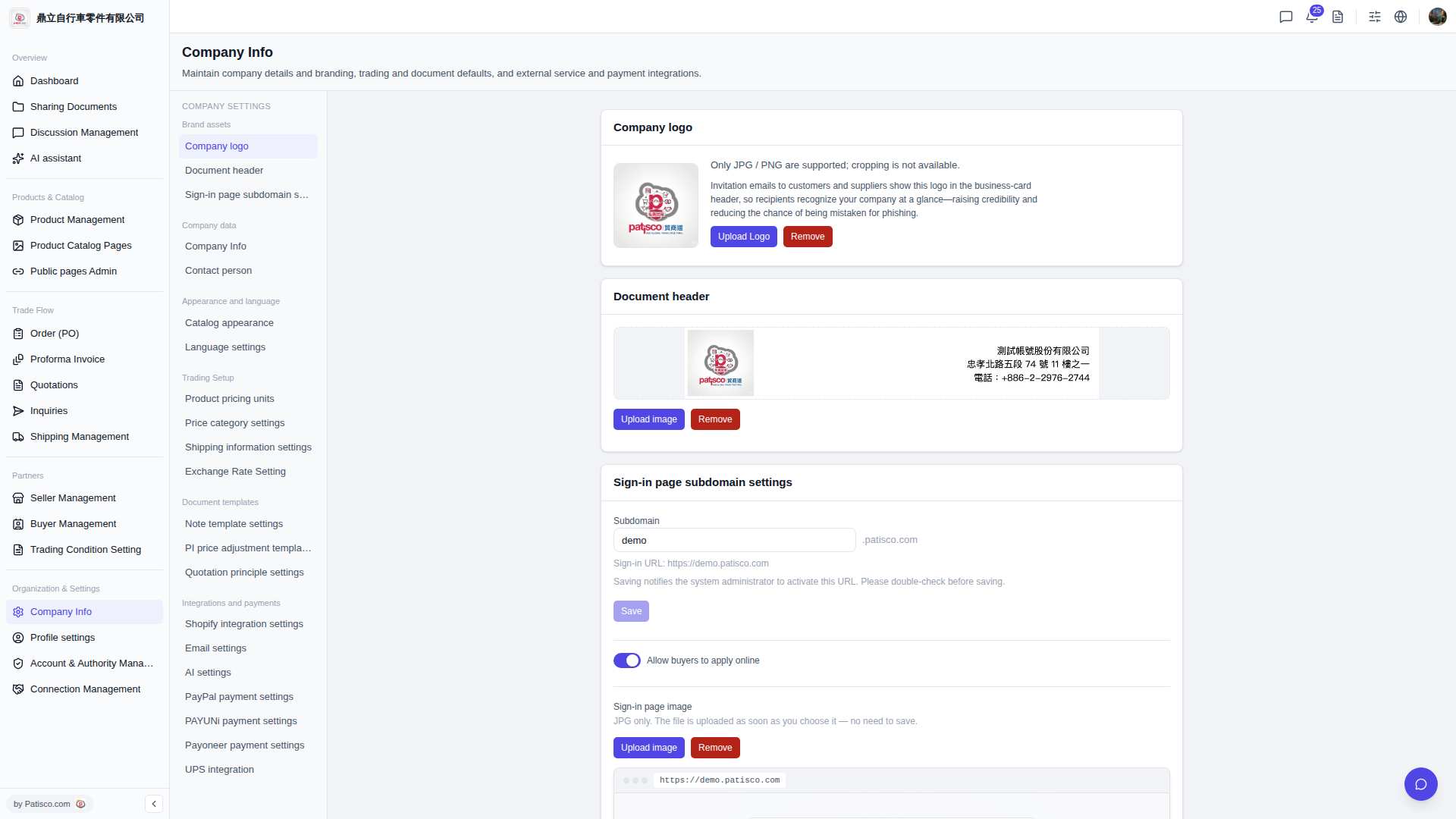
1. Click "Company Info" in the left sidebar to access the company information settings page. 2. Find the "Sign-in page subdomain settings" section and enter your desired English name in the "Subdomain" field (for example, demo). 3. Verify that the sign-in URL displayed below is correct. 4. Click the "Save" button to save the settings. The system will notify the administrator to enable this login URL. 5. To allow buyers to apply for accounts online, ensure the "Allow buyers to apply online" toggle is switched to blue (enabled).
 V5 新桌面版|Company Info