
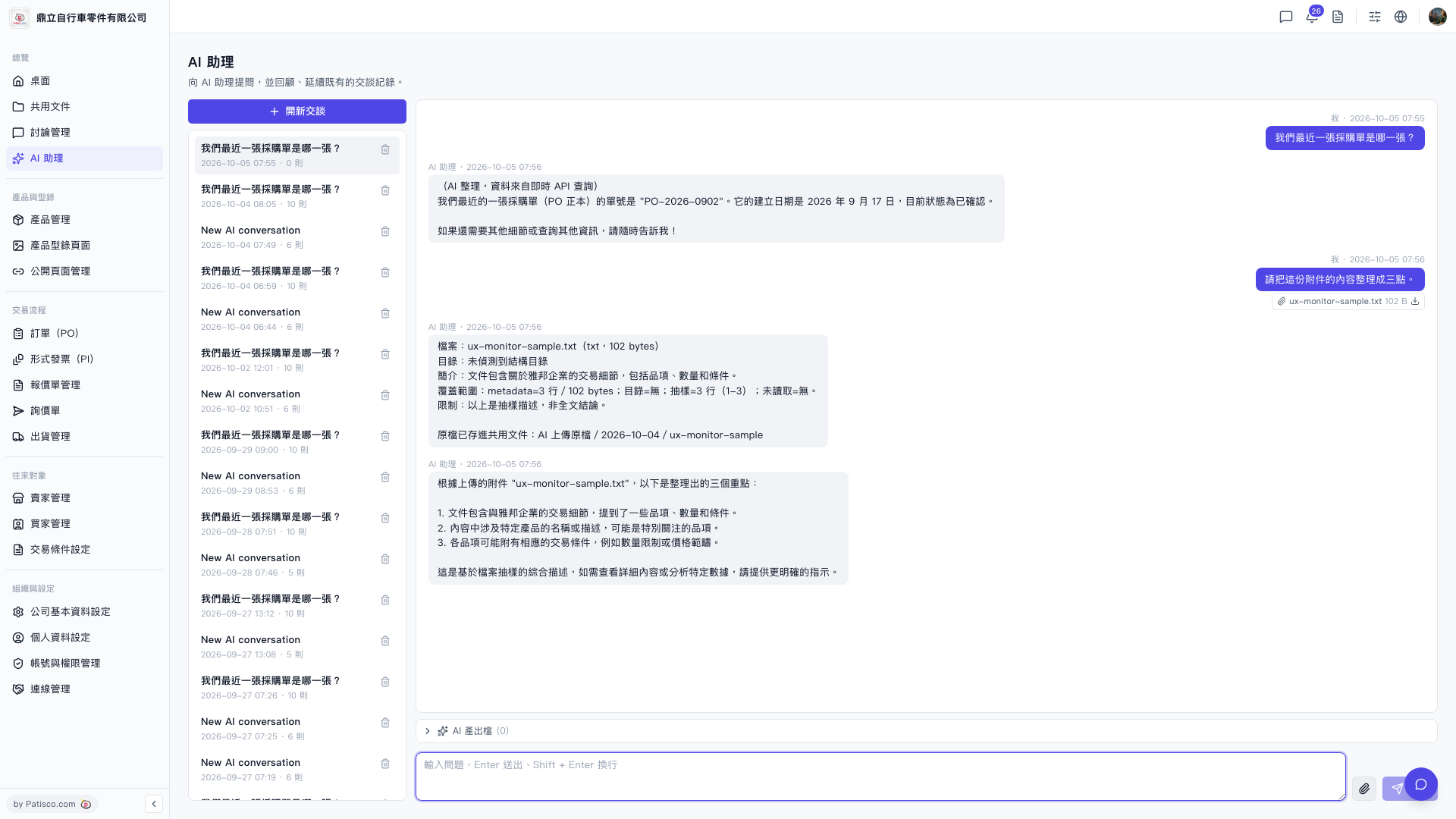
1. After going to the "AI assistant" page, click "+ New Conversation" on the left to create a new conversation (or click on a previous conversation from the history list to continue). 2. At the bottom-right corner of the input box, click the "Paperclip icon" (attachment upload). 3. Select the file you want to analyze from your device (txt format is supported). 4. Type your question in the input box and press Enter to send it. 5. The AI assistant will first display a file summary (including introduction, coverage, limitations), then provide an answer based on your question. The original file will also be automatically saved to the "AI Uploaded Files" folder.
You can ask like this: "Please organize the content of this attachment into three points." The AI will respond like: "Based on the uploaded attachment, here are three key points extracted: 1.… 2.… 3.… This is a comprehensive description based on file sampling. If you need to view detailed content or analyze specific data, please provide more specific instructions."
 V5 新桌面版|AI 助理