
1. After entering the "AI conversation (New AI conversation)" page, you will see the input field "Ask AI a question..." at the bottom of the screen. 2. Click on the input field and type your question. 3. To attach a file, click the "paperclip icon" on the left side of the input field to upload an attachment; to send an image, click the "camera icon" to take a photo or select an existing image. 4. After typing, click the pink circular "send button (paper plane icon)" on the right to submit. 5. The AI will respond in real-time in the conversation window.
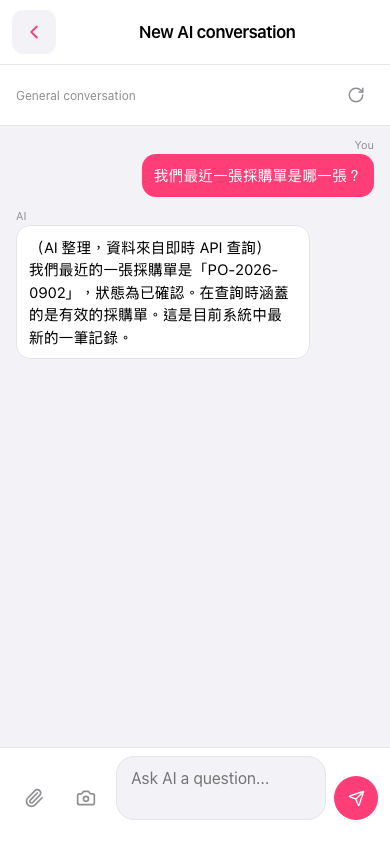 手機版|AI 對話(New AI conversation)