
1. After the AI responds, scroll down to the bottom of the conversation to find the attachment area. 2. Click the download icon on the right side of "Import preview seller 12.csv" to download the preview file to your phone for verification. 3. After confirming the data is correct, type "Add" and submit to complete the import.
Known issue: The "AI output file" card may not display in this step. If you cannot find the card, please look for the download link directly in the attachment area.
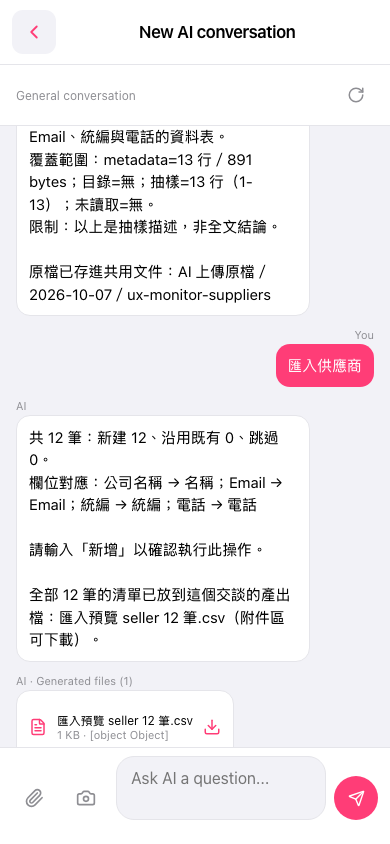 手機版|New AI conversation(AI 對話)