
1. On the "New AI conversation" page, click the pink button "Import Supplier" on the right side of the conversation bubble, or type "Import Supplier" in the input field and click the pink circular "send" button on the right. 2. After the AI responds, verify that the field mappings are correct: Company Name → Name, Email → Email, Tax ID → Tax ID, Phone → Phone. 3. If everything looks correct, type "Add" in the input field and click "send" to confirm and execute the import. 4. Wait for the AI to respond with the import results and confirm that 12 records have been successfully created.
You can ask like: "Import suppliers (12 rows CSV)" The AI will respond like: "Supplier import AI total 12 records: 12 newly created, 0 existing reused, 0 skipped. Field mappings: Company Name → Name; Email → Email; Tax ID → Tax ID; Phone → Phone. Please type 'Add' to confirm execution of this operation."
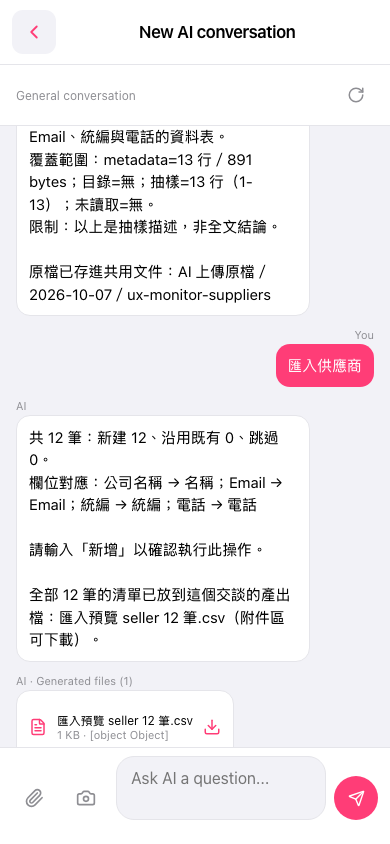 手機版|New AI conversation(AI 對話)