
1. Browse products in the catalog list and confirm the SKU, product name, price (TWD), and stock information. 2. Find your target product and click the "Shopping Cart (Add to Cart)" icon on the far right of that row to add the product to your cart. 3. Click the "Shopping Cart" button in the top right corner of the page to view your current shopping cart contents and proceed with the purchase process.
Tip: To narrow down the range, you can first select conditions like "Category" or "Brand" in the left filter panel, or select "Product Name" in the search field above and enter keywords and press Enter to search. You can also use the "Creation Date" or "High to Low" sorting buttons to adjust the display order.
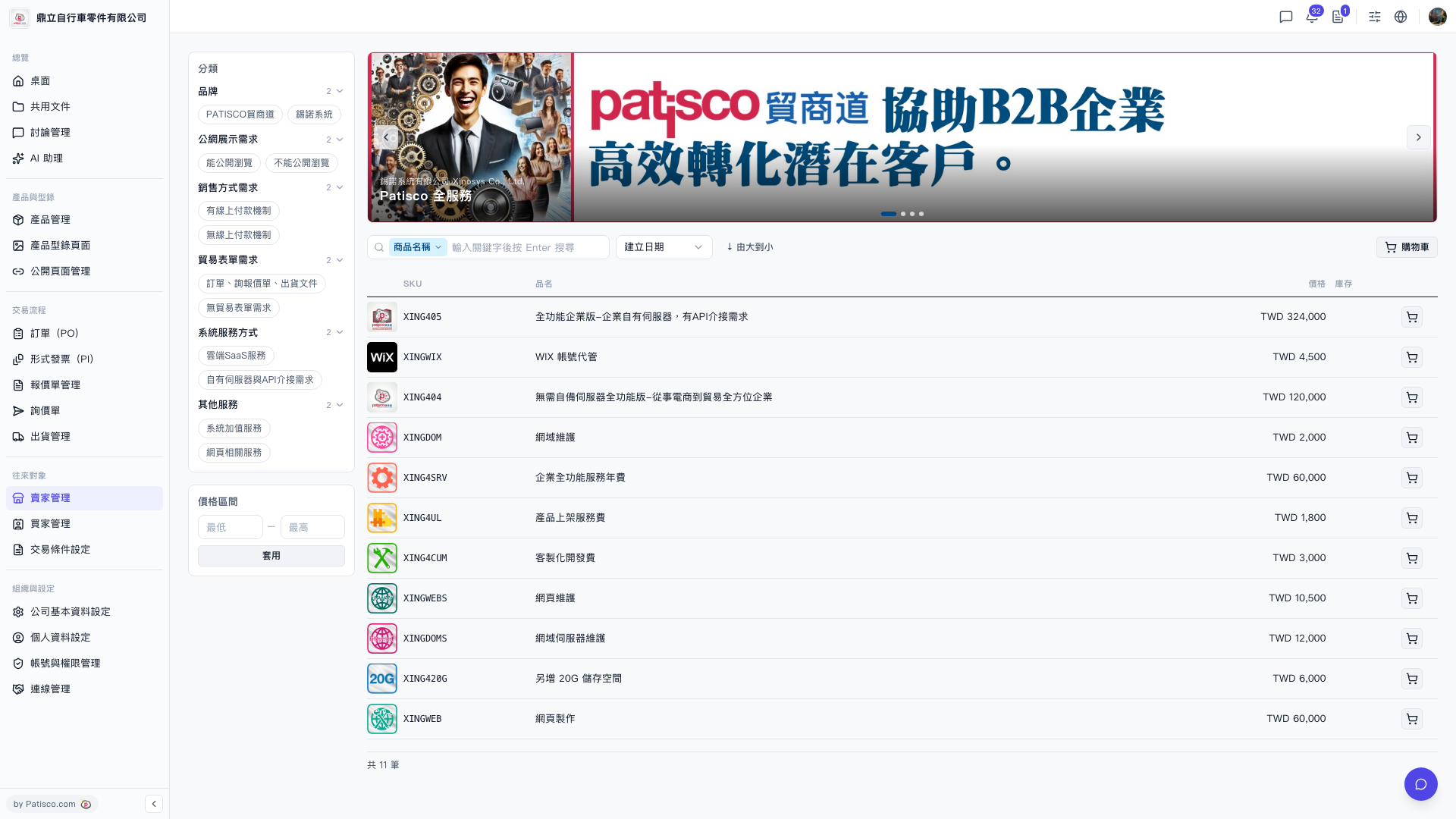 V5 新桌面版|賣家目錄(產品型錄)