
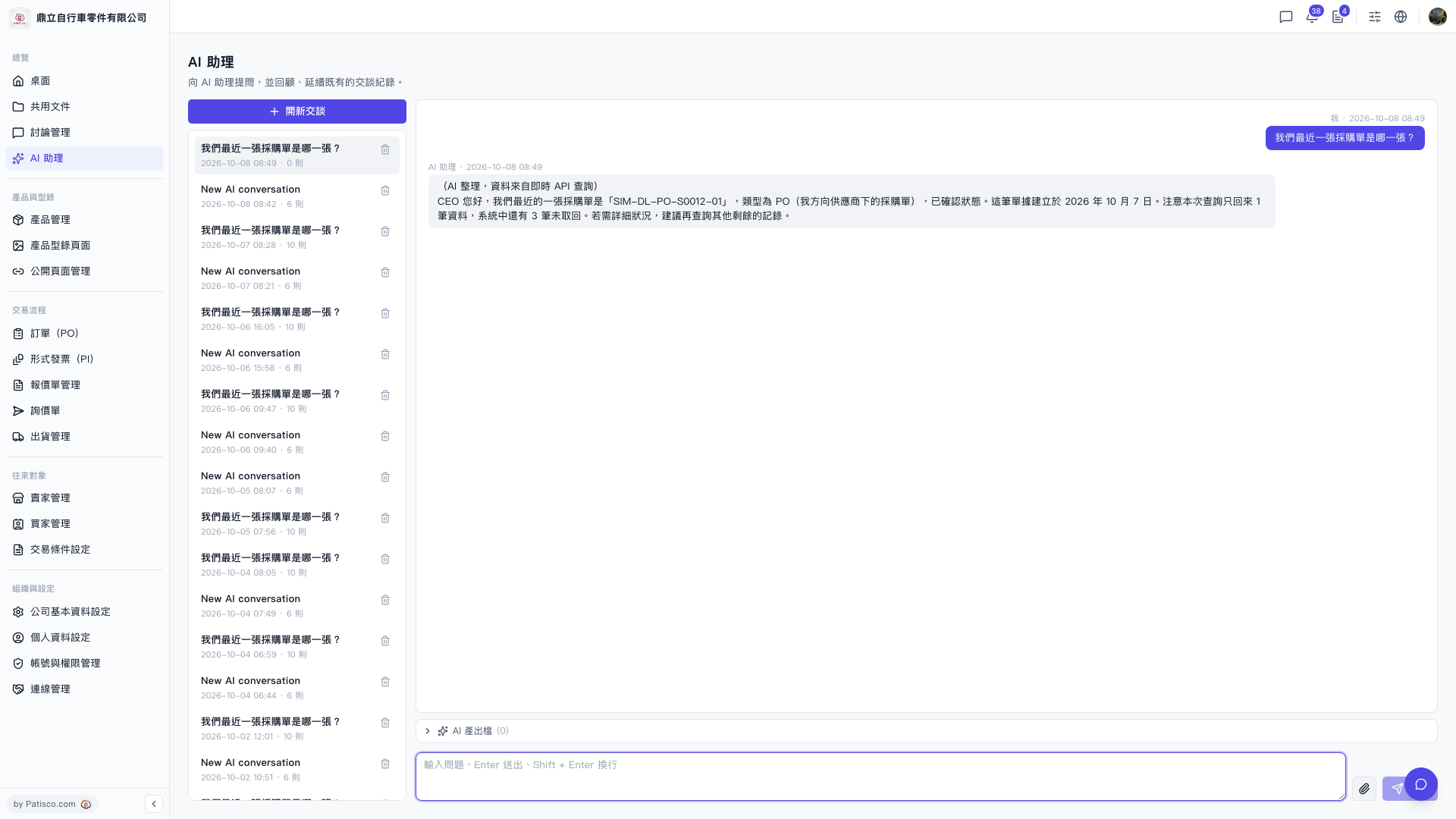
1. After logging in, go to the "AI assistant" page (the URL bar will display /ai-assist). 2. Click "+ New Conversation" at the top of the conversation list on the left side to create a new conversation session. 3. Enter your question in the message input box at the bottom of the page. 4. Press Enter to send it, or press Shift + Enter to create a new line and continue typing before sending. 5. Wait for the AI assistant to query system data and reply with results.
Example question: "What was our most recent purchase order?" Example AI response: "Hello CEO. Our most recent purchase order is 'SIM-DL-PO-S0012-01', a PO (our purchase order from a supplier), confirmed status, created on October 7, 2026. Note that this query returned only 1 record; the system has 3 additional records not retrieved. If you need more details, we recommend querying the remaining records."
 V5 新桌面版|AI 助理