
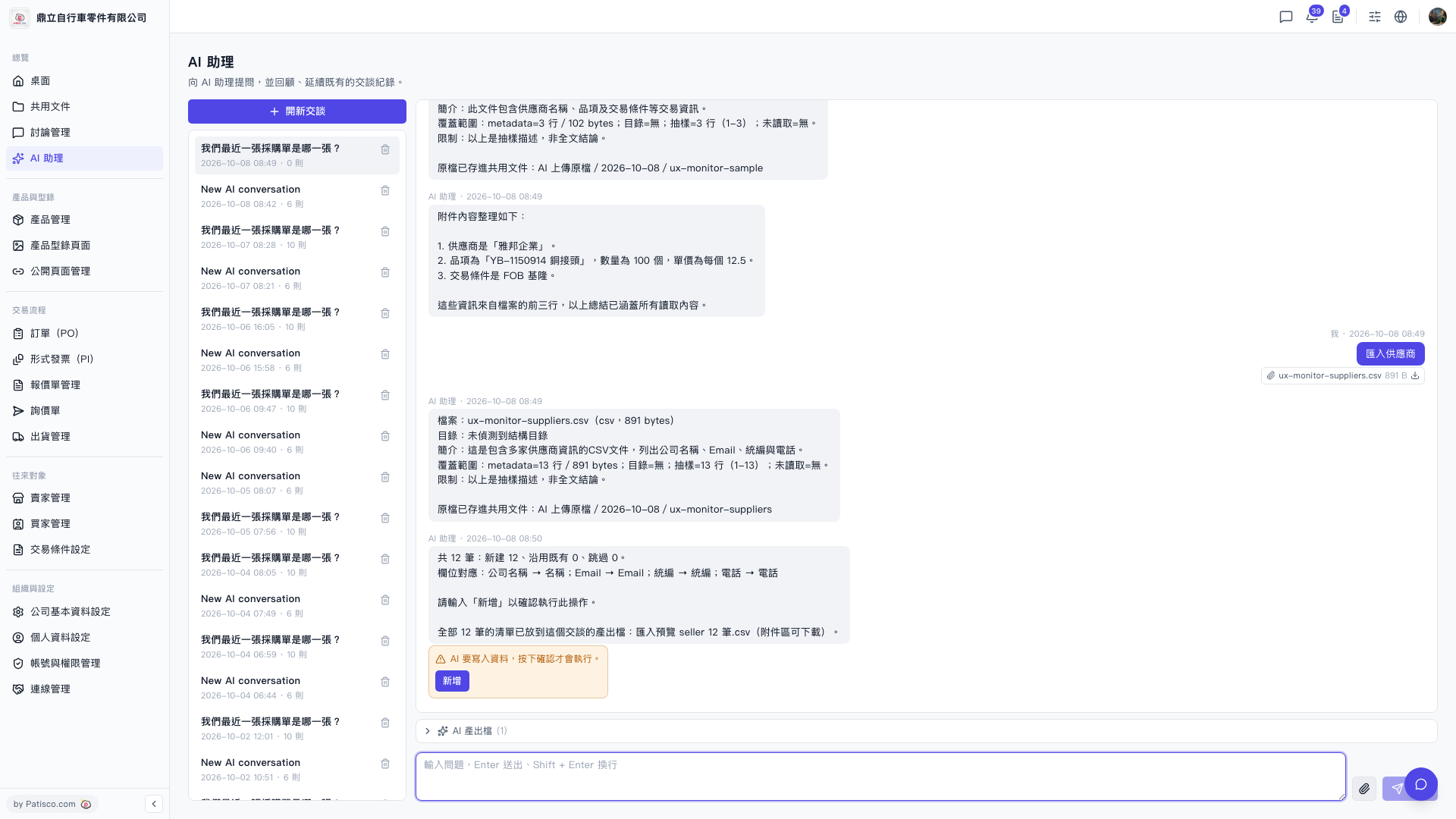
1. On the AI assistant chat page, wait for the AI to complete analysis and display the import preview. Then the output CSV file will appear in the attachment field in the conversation area (for example, "Import Preview seller 12 records.csv"). 2. Click the "Download icon" to the right of that file to download the result CSV to your computer for backup. 3. If you want to check previous import records, you can click the chat record from the corresponding date in the left conversation list, find the attachment, and download it.
 V5 新桌面版|AI 助理