
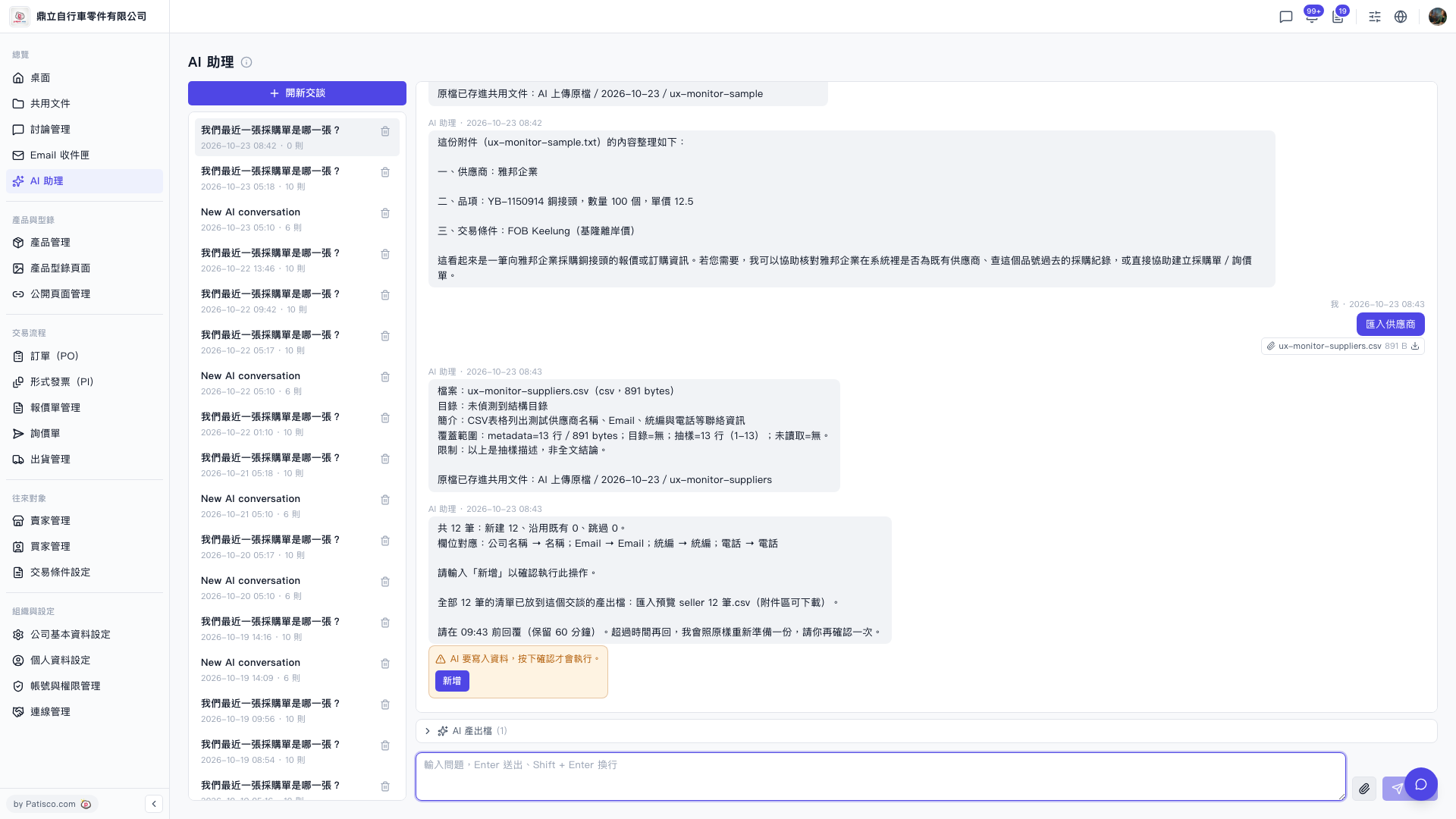
1. Find the "AI output files (1)" row below the conversation area and click to expand it. 2. Download "Import preview seller 12 records.csv" (匯入預覽 seller 12 筆.csv) and check the contents of all 12 records. If you want the original file you uploaded, click the download icon next to the attachment ux-monitor-suppliers.csv. 3. If everything looks right, within 60 minutes click "Add" in the orange notice box, or type "Add" and send it. 4. If the time has passed (for example, the AI said to reply before 09:43), when you reply the AI will prepare it again as it was, and you will need to confirm once more.
Reminder: Until you confirm, the AI will not write any data.
 V5 新桌面版|AI 助理