1. 在「共用文件」左側分類面板,點選要查看的資料夾,例如「Product Photos」或「Product Attachments」。 2. 如需查看 AI 上傳原檔,點選其下對應日期的子資料夾。 3. 選好分類後,即可在右側瀏覽、上傳與管理該分類下的檔案。 4. 可以這樣問:「有 Product Photos 分類嗎?」AI 會怎麼回:「Product Photos 分類有。」
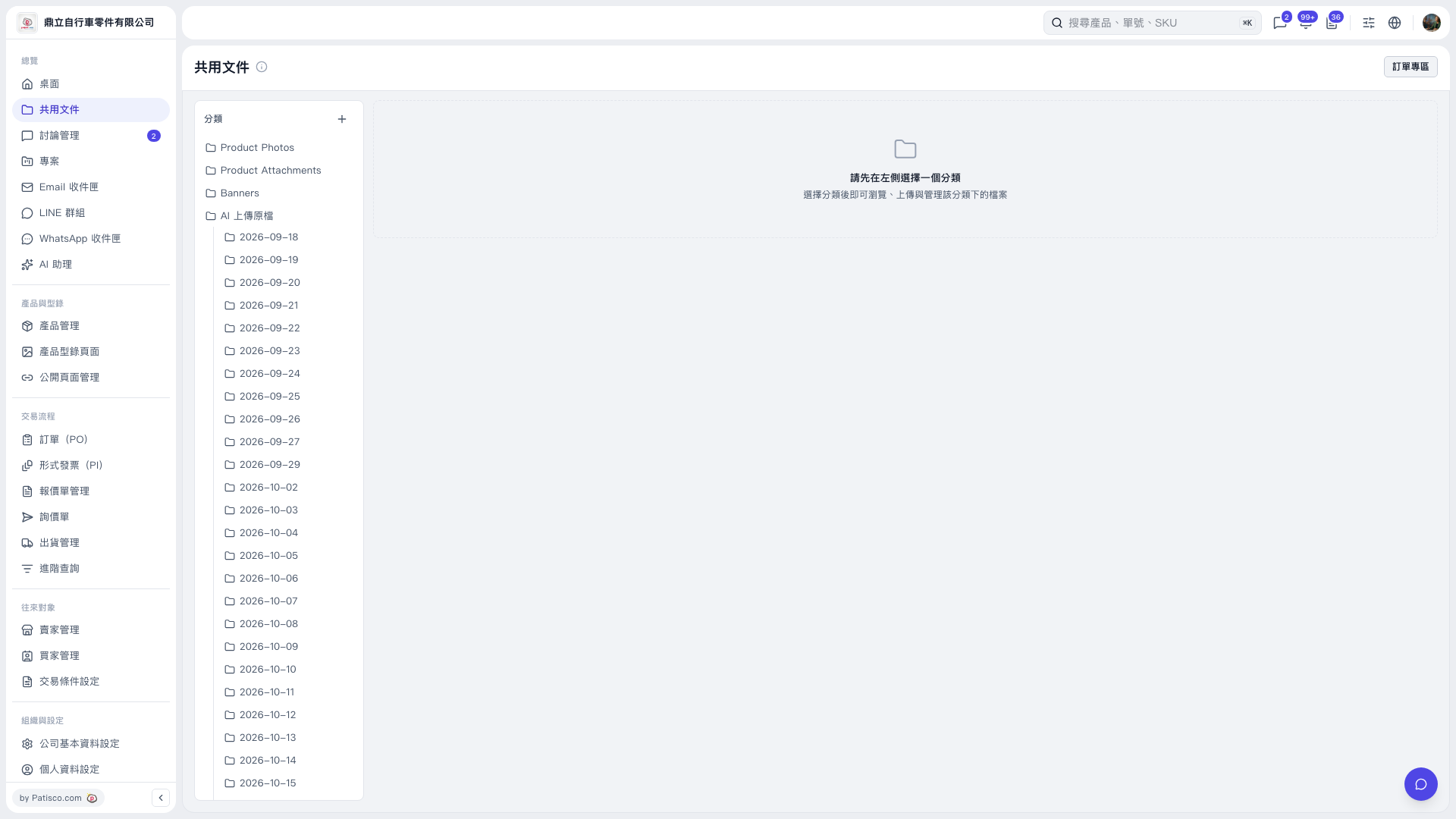 V5 新桌面版|共用文件

1. 在「共用文件」左側分類面板,點選要查看的資料夾,例如「Product Photos」或「Product Attachments」。 2. 如需查看 AI 上傳原檔,點選其下對應日期的子資料夾。 3. 選好分類後,即可在右側瀏覽、上傳與管理該分類下的檔案。 4. 可以這樣問:「有 Product Photos 分類嗎?」AI 會怎麼回:「Product Photos 分類有。」
V5 新桌面版|共用文件