1. 在 Dashboard 的 Sellers' Product Pages 列表中,找到要查看的供應商。 2. 查看卡片上的公司名稱、Items(品項數)、Currency(幣別)及 Trading terms(貿易條件)。 3. 點選該供應商卡片或右側箭頭,進入產品目錄或產品頁面。
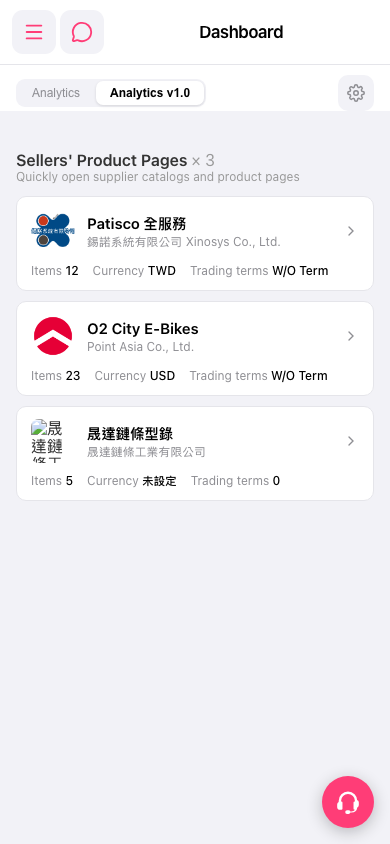 手機版|Dashboard

1. 在 Dashboard 的 Sellers' Product Pages 列表中,找到要查看的供應商。 2. 查看卡片上的公司名稱、Items(品項數)、Currency(幣別)及 Trading terms(貿易條件)。 3. 點選該供應商卡片或右側箭頭,進入產品目錄或產品頁面。
手機版|Dashboard