
1. After opening the product catalog browse page, in the left "Category" filter panel, check the brands you need (such as Patisco or Xinosys), or filter by "Product Web Page", "Product Sales", "Trading Documents", "Hosting Service", "Others", and other conditions. 2. To limit the price range, enter Min (minimum) and Max (maximum) values in the "Price range" field in the left filter panel, then click the "Apply" button at the bottom of the panel to apply the filter. 3. To search by keyword, select "Item name" in the search bar at the top of the page, enter your keyword, and press Enter. 4. You can change the sort order by clicking "Created Date" (sorted by creation date) or "High to low" (sorted by price from highest to lowest) to the right of the search bar.
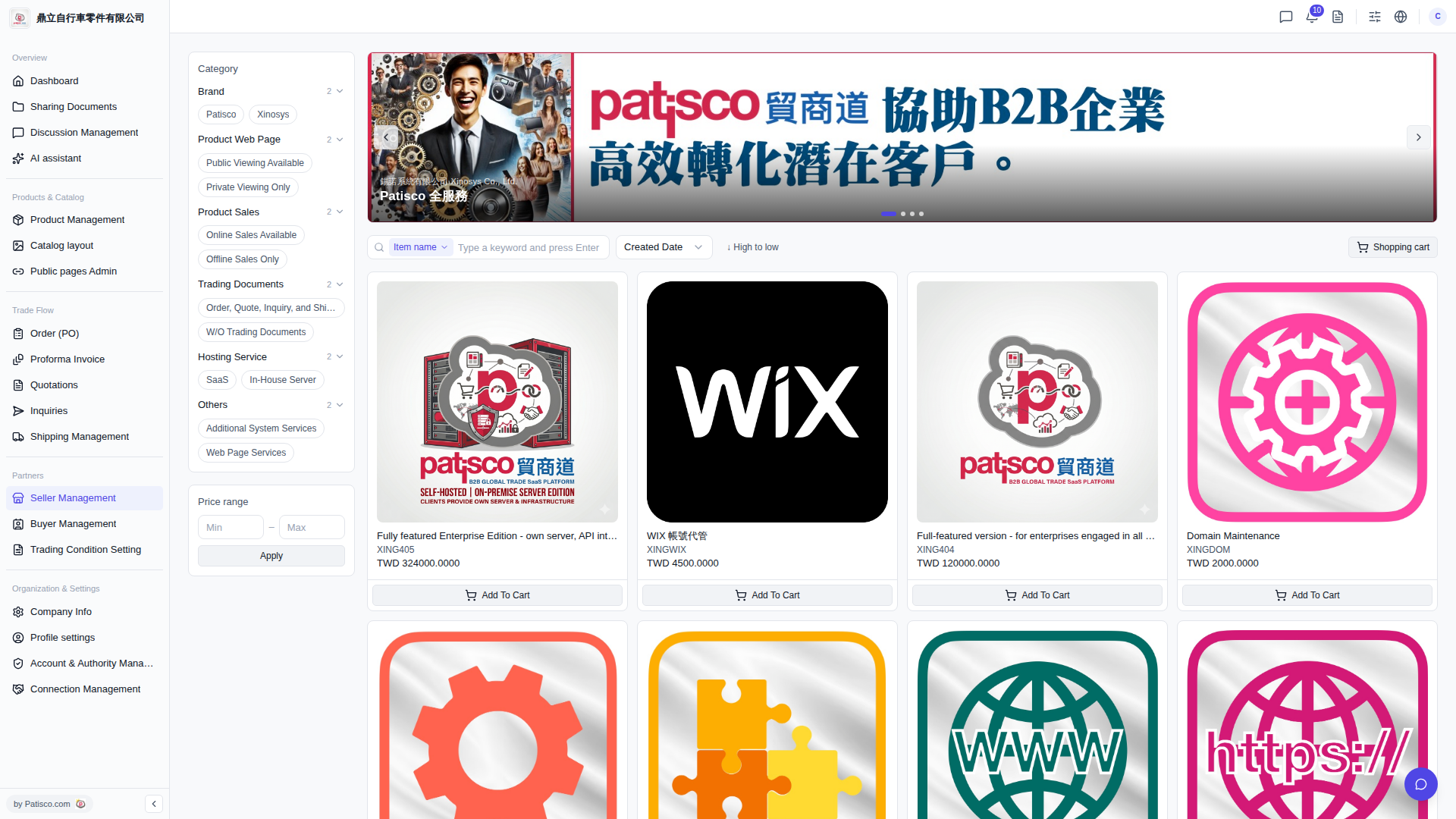 V5 新桌面版|產品目錄(Catalog)瀏覽頁面