
1. Click "AI assistant" in the left navigation to enter the AI assistant page. 2. To start a new conversation, click the "+ New conversation" button at the top of the conversation list on the left. 3. To continue an old conversation, select the corresponding conversation item from the historical conversation list on the left. 4. Enter your question in the question input box at the bottom of the page. 5. Press Enter or click the blue send button (arrow icon) on the right side of the input box to submit your question. 6. AI assistant will integrate real-time data and display the response in the conversation area.
You can ask like this: "What was our most recent PO?" AI will respond like this: "The most recent PO from Ding Li Bicycle Parts Co., Ltd. is PO-2026-0902, created on September 17, 2026, with status confirmed."
⚠️ Known issue: After submitting a question, the screen may remain on "AI is responding" without automatically displaying the response. Manual page reload is required to see the AI's reply (fix in progress, corresponding to PR #2).
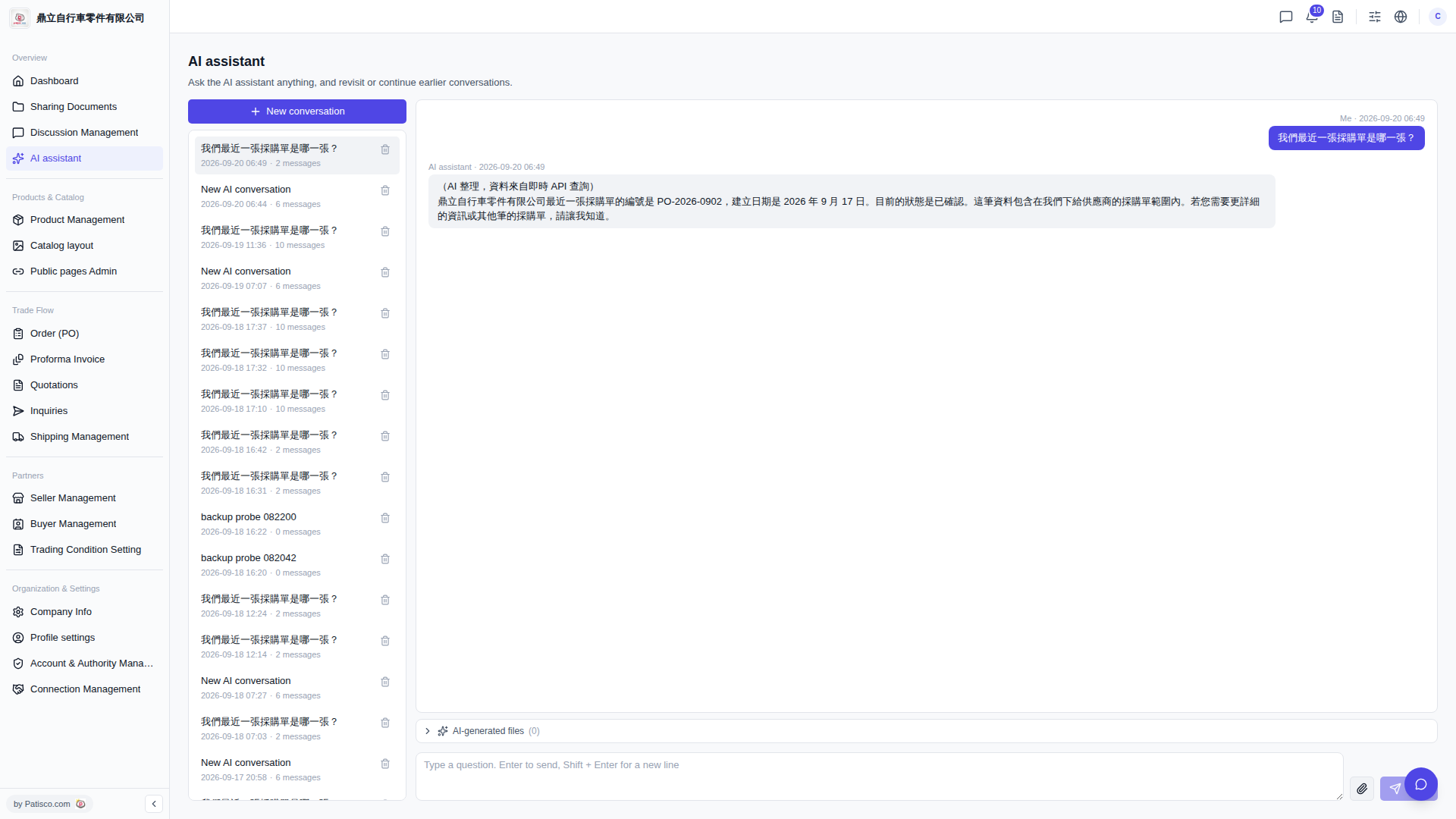 V5 新桌面版|AI assistant