
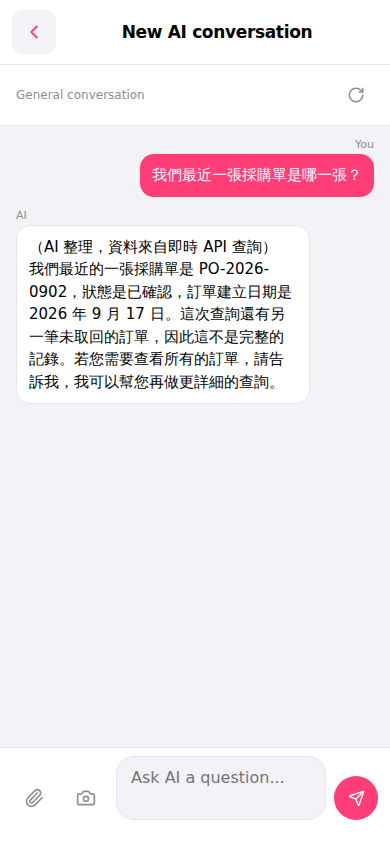
1. After entering the "New AI conversation" page, the top of the screen will display the current conversation type as "General conversation". 2. Click the input box at the bottom (showing "Ask AI a question...") and type your question. 3. After entering your question, click the pink send button on the right side of the input box to submit it to the AI. 4. After a moment, the AI will query system data through the real-time API and provide an answer. 5. If you want to ask a follow-up question, simply enter the next question in the input box and send it.
Example question: "What is our most recent PO?" Example AI response: "Your most recent PO is PO-2026-0902, with status confirmed. The PO was created on September 17, 2026. There is another pending order in the system, so this is not a complete record. If you need to view all orders, please let me know and I can provide a more detailed query."
 手機版|New AI conversation(AI 對話)