
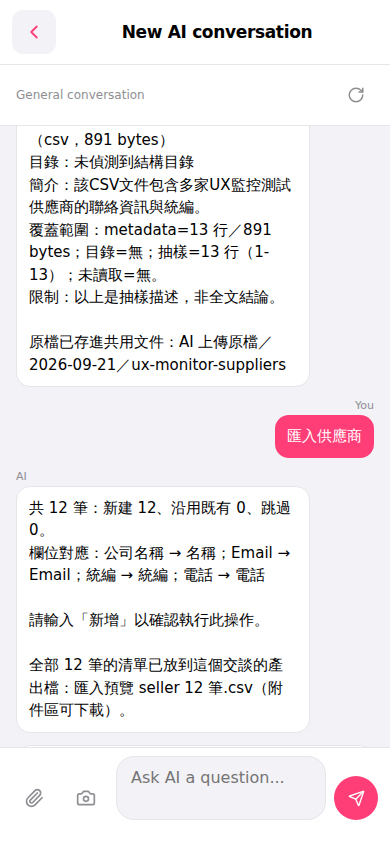
1. Open the mobile version and go to the "New AI conversation" page. 2. Click the paperclip icon (attachment) at the bottom left, select and upload the CSV file containing supplier data. 3. Type "Import suppliers" in the input box and click the pink "Send" button. 4. The AI will automatically analyze the CSV content and reply with the field mapping results and number of records (new/existing/skipped). 5. After confirming the field mapping is correct (for example, Company Name → Name, Email → Email, Tax ID → Tax ID, Phone → Phone), type "Add" in the input box and click send to confirm the import execution. 6. After the import is complete, download the preview file generated by the AI (for example, "Import preview seller 12 records.csv") from the attachment area to verify the content.
 手機版|New AI conversation