
1. When the AI replies, it will list the summary of records for this import, for example: "Total 12 records: 12 new, 0 existing, 0 skipped", and explain the field mapping for each column. 2. The AI will then prompt you to type "Add" to confirm execution. 3. After execution is complete, the AI will generate a preview CSV file in the conversation (such as "Import preview seller 12 records.csv"), which you can find and download from the "Attachment area" of that conversation to verify the import content is correct.
Example question: "Import suppliers (12 rows CSV)" Example AI response: "Import suppliers AI total 12 records: 12 new, 0 existing, 0 skipped. Field mapping: Company Name → Name; Email → Email; Tax ID → Tax ID; Phone → Phone. Please type 'Add' to confirm this operation. The list of all 12 records has been placed in the output file: Import preview seller 12 records.csv (downloadable from attachment area)."
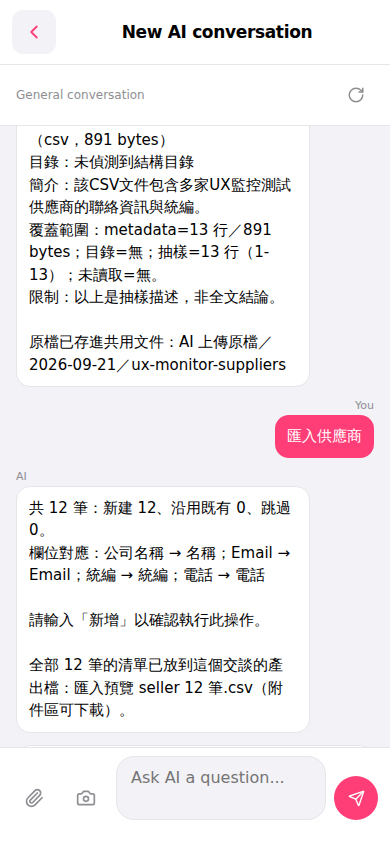 手機版|New AI conversation