
1. Click "Quotations" in the left sidebar to enter the Quotations management page (page title is "Quotations"). 2. The page displays the "Sent Doc." tab by default (sent quotations); to view received quotations, click the "Received Doc." tab. 3. Main action buttons are located in the upper left of the list, including: - "+ Add": Create a new quotation - "details": View details of the selected quotation - "Confirm": Confirm the selected quotation - "Delete": Delete the selected quotation - "Download Excel.": Export quotation data to an Excel file 4. List columns include Quotation No., Buyer, Incoterm, Currency, Created Date, Last Change, status (such as Negotiating), Validity, and other information.
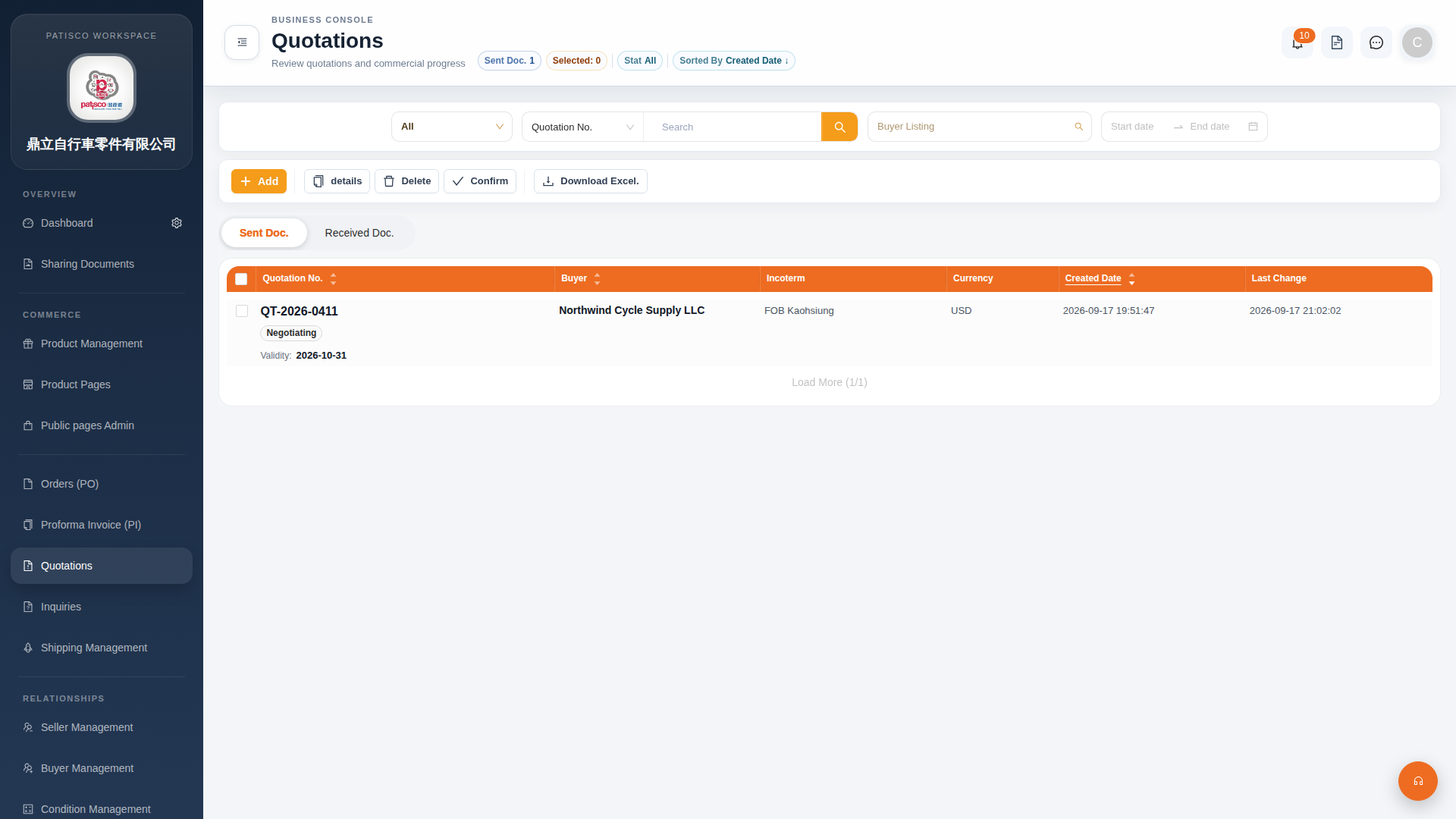 G4 桌面版|Quotations(報價單管理)