
1. After entering the "Quotations" page, there is a filter bar at the top of the page. 2. Click the "Stat All" dropdown menu to filter by quotation status; select "Stat All" to show all statuses. 3. Click "Buyer Listing" on the right side of the filter bar to filter quotations by buyer name. 4. Click the "Start date / End date" date range field at the far right of the filter bar and enter the start and end dates to narrow your search by creation date. 5. After finding the target quotation, check the checkbox for that record and click "details" to view detailed information.
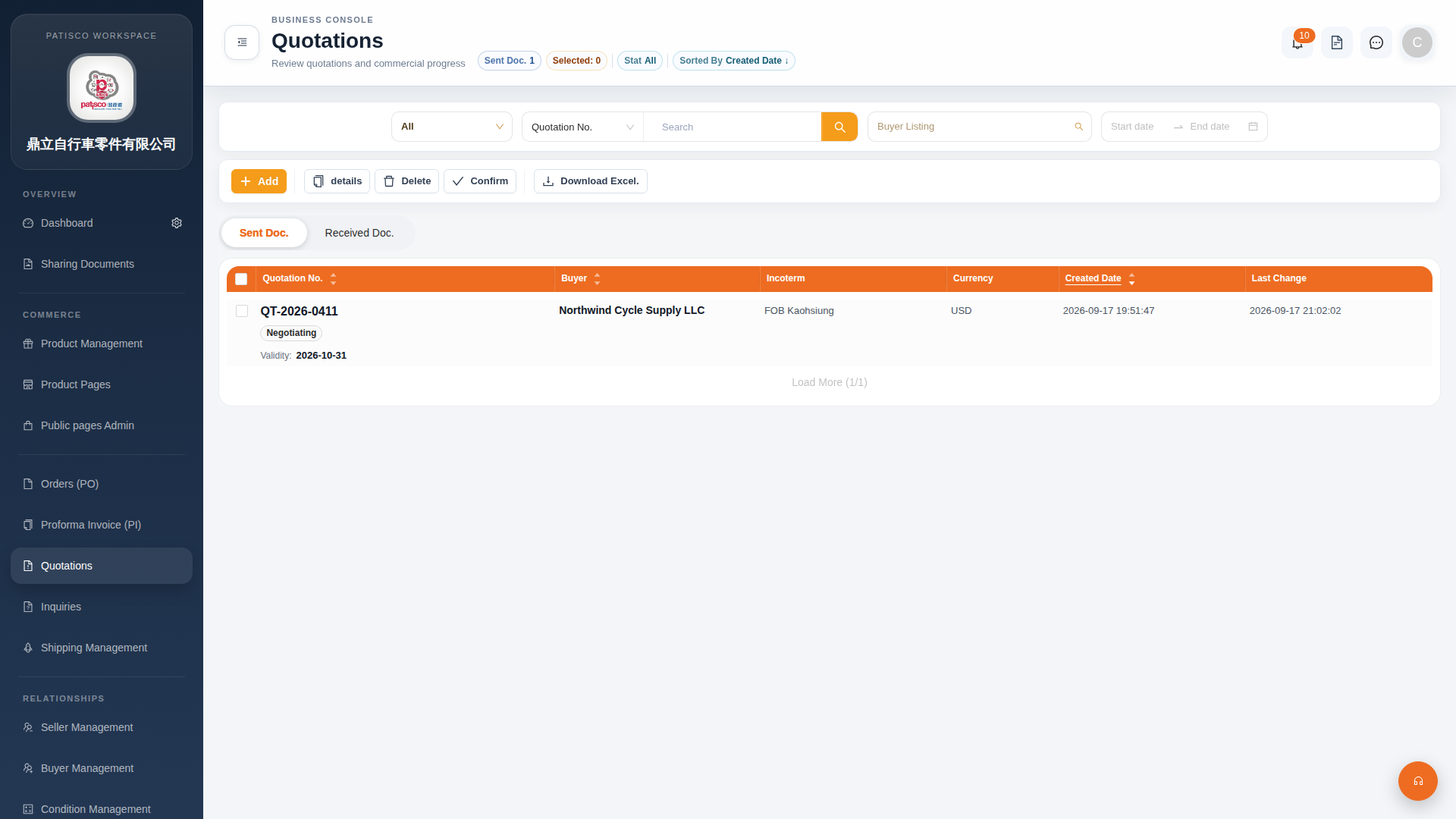 G4 桌面版|Quotations(報價單管理)