
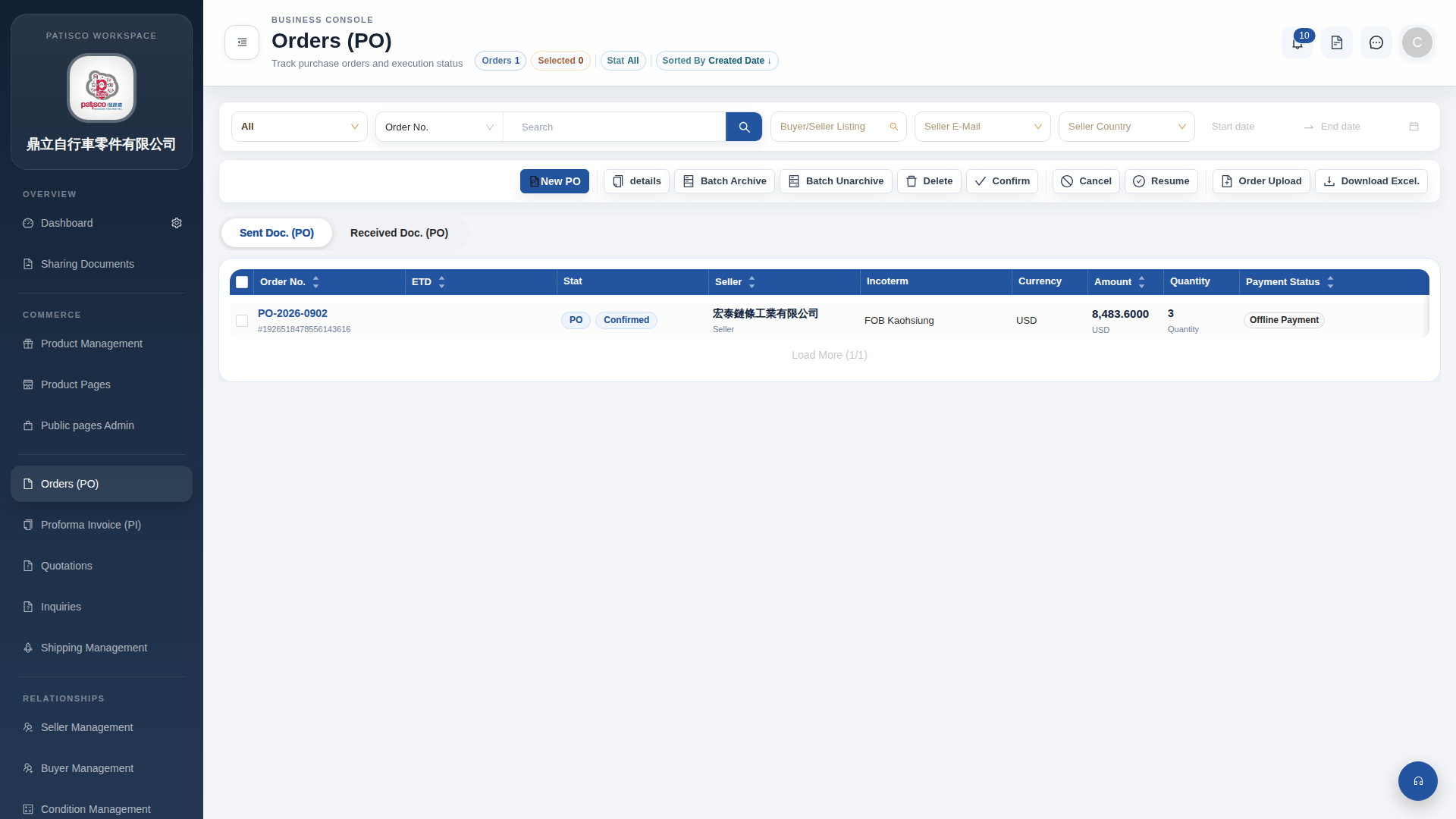
1. Click "Orders (PO)" in the left sidebar to enter the "Orders (PO)" management list page. 2. The page toolbar provides the following main operations: - Click "New PO" to create a new purchase order - Click "details" to view details of the selected order - Click "Confirm" to confirm the selected order - Click "Cancel" to cancel the selected order - Click "Resume" to resume the selected order - Click "Batch Archive" to batch archive or "Batch Unarchive" to batch unarchive - Click "Delete" to delete the selected order - Click "Order Upload" to upload order files - Click "Download Excel." to export the order list to an Excel file 3. There are also tabs at the top of the page where you can switch to "Sent Doc. (PO)" (sent orders) or "Received Doc. (PO)" (received orders) document lists.
 G4 桌面版|訂單管理 (Orders PO)