
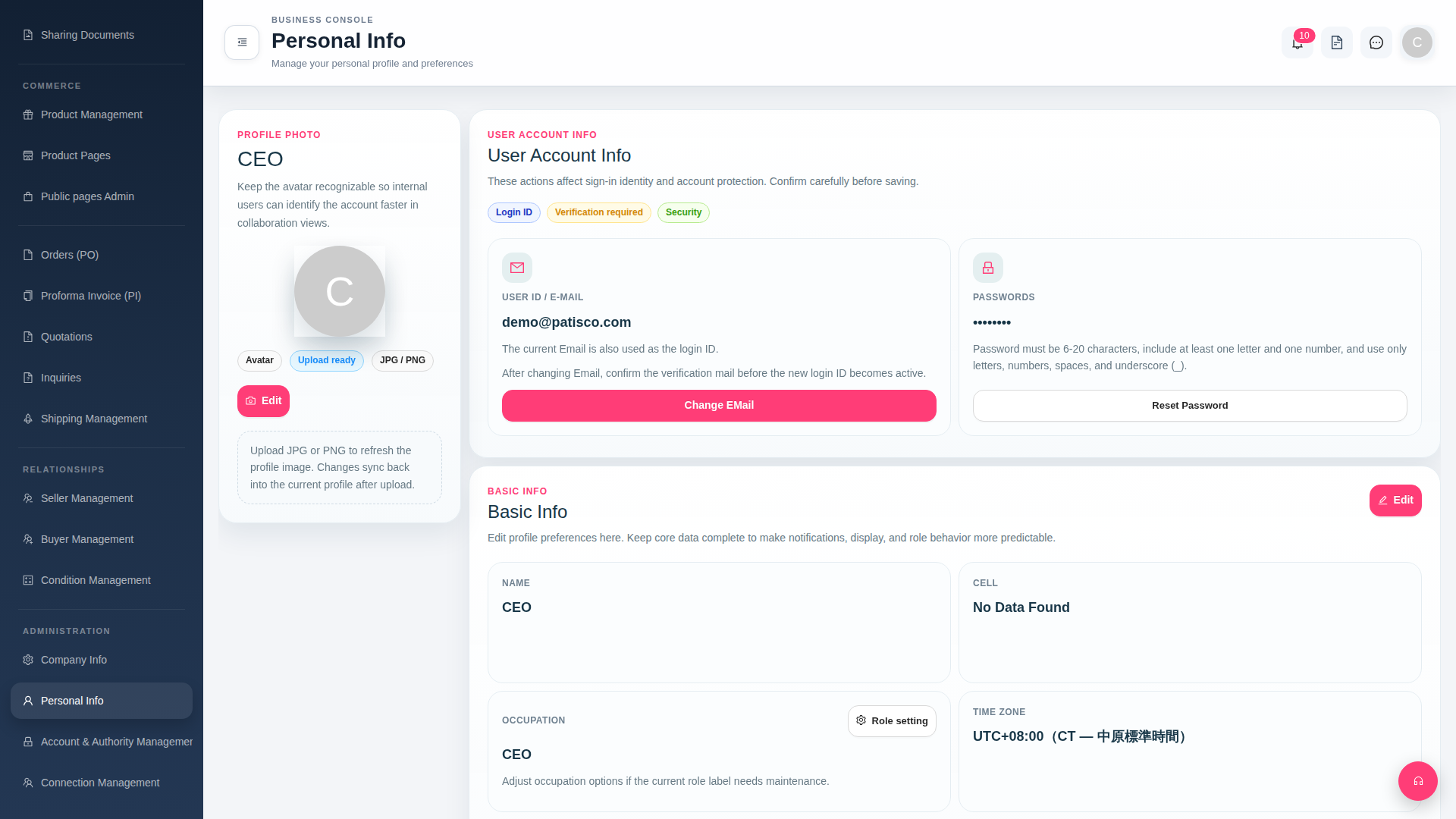
After entering the ADMINISTRATION > Personal Info page from the left sidebar:
【Change Login Email】 1. Find the EMAIL field in the "User Account Info" section and click the "Change EMail" button below it. 2. After entering your new email and saving, the system will send a verification email to the new inbox. 3. Click the link in the verification email to confirm; only then will your new email officially take effect.
【Reset Password】 1. Find the PASSWORDS field in the "User Account Info" section and click the "Reset Password" button below it. 2. Follow the prompts to enter a new password (must be 6–20 characters and contain both letters and numbers).
 G4 桌面版|Personal Info